
If you’ve been a victim of identity theft, the Federal Trade Commission’s IdentityTheft.gov is the federal government’s one-stop resource for identity theft victims. The site provides streamlined checklists and sample letters to guide you through the recovery process. If you haven’t been a victim, read these tips to help keep your identity from being stolen or compromised in the first place: Prevent Identity Theft. … [Read more...]
February 17, 2021 By Computer Techs
September 1, 2020 By Computer Techs
How to create a secure memorable password system
Originally posted January 2010. Updated September 2020: To help prevent unauthorized access to personal information, many websites require a password that consists of six or more characters, numbers and letters, and uppercase and lowercase letters. Creating a password that meets the requirements and being something you can remember doesn’t have to be a challenge. I have created a password system that you can use or modify to create memorable passwords. The most important part of the system … [Read more...]
April 1, 2020 By Computer Techs
We can help with many computer issues without coming out to your home
A majority of our customers already take advantage of our remote support service Remote Support allows us to see your computer screen and operate your keyboard and mouse via your internet connection. This can be helpful if you need a quick-fix to a problem, or other service that doesn't require an in-home visit. Or perhaps you'd like service outside of our normal in-home daytime business hours. With Remote Support we offer a lower rates than our on-site service. Payment can be made via credit … [Read more...]
April 1, 2020 By Computer Techs
Give the gift of computer help or service

Are you looking for the perfect gift for someone who needs computer help or service? Consider giving the gift of computer help or service with the purchase of a Computer Techs eGift Card. eGift Cards can be used towards payment of remote support or on-site services. Click the link picture below for more details, or to purchase now. … [Read more...]
May 15, 2018 By Computer Techs
Is it time to replace your Wi-Fi?
Wi-Fi enables you to use your computing devices wirelessly throughout your home. If your Wi-Fi router or internet gateway (provided by your internet provider) is over 5 years old, it’s time to replace it with newer, more secure technology. Over time security flaws have been found in the Wi-Fi protocol that’s used in all routers and gateways, and patches have been released as firmware updates for only the newest routers manufactured in the past few years. A benefit of replacing your Wi-Fi … [Read more...]
April 17, 2018 By Computer Techs
How to find your lost or stolen mobile smartphone or tablet
If you’ve lost your mobile smartphone or tablet, or if your device is stolen, you can often find its location by going to a dedicated website on your computer. But before your device can be located, your mobile device needs to be setup to allow it to be located. Now is the time to check and make sure your device is setup – before your phone gets lost or stolen. … [Read more...]
November 24, 2016 By Computer Techs
How to improve wireless coverage at home
Do you have poor Wi-Fi coverage inside your home due to low signal or interference from other nearby Wi-Fi routers? How about poor wireless cell coverage at home due to wireless carriers having trouble locating their cellular transmission antennas, towers and poles in residential neighborhoods? Resident complaints that cell towers will decrease property values or become eyesores within the landscape have persuaded elected officials to deny the permits needed to construct new cell … [Read more...]
March 15, 2016 By Computer Techs
Microsoft prompting users to get free upgrade to Windows 10
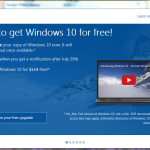
Updated 3-15-16 to include information on how to back-out of forced installation and how to rollback. Microsoft's Windows 10 became available on July 29, 2015, and computer users have been seeing upgrade prompts ever since. If your computer has Windows 7 or Windows 8.1, you may have noticed a mysterious new icon has appeared on the right-hand side of your taskbar. The icon is Microsoft's notification that invites users to register for their free Windows 10 upgrade. Clicking the small Windows … [Read more...]
December 8, 2014 By Computer Techs
Why your most important password is the one that secures your email
You may think that nobody would be interested in reading your email, therefore your email password doesn't need to be secure. However if a hacker accesses your email, consider the following common occurrences: A hacker can change your password and lock you out of your account. A hacker can go to financial and shopping websites and have password reset requests sent to your email address. With access to your financially related websites in the hands of a miscreant, you could potentially … [Read more...]
May 27, 2014 By Computer Techs
Does your computer have adware?
Adware is advertisement-supported software that is usually is bundled with other programs that are downloaded from the internet. For example you may download a free program from the internet, but in order for the website to make money they typically bundle the program with adware, browser toolbars and/or browser hijackers. These Potentially Unwanted Programs (PUPs) will display advertisements, re-direct your internet search results and even change your browser home/start page. Adware should … [Read more...]