
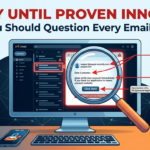
We’ve all been there: you open your inbox and find a message that sets off alarm bells. Maybe it’s a “critical security alert” from your bank, an unexpected delivery failure notification, or an urgent invoice. Cybercriminals are getting better at crafting these fake messages, known as "phishing," but they still leave behind a trail of breadcrumbs. Here is our comprehensive guide on how to spot a fake email before you click, reply, or download anything dangerous. Treat all unexpected emails as … [Read more...]
August 11, 2026 By Computer Techs
August 10, 2026 By Computer Techs
The “Helpful” Trap: How Everyday Websites Trick You Into Downloading Unwanted Software
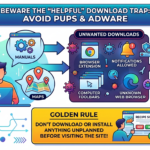
You're searching for a quick dinner recipe, trying to download a user manual for your refrigerator, or looking for a fast way to view a PDF online. You click a link, and suddenly a pop-up appears: "To view or print this document, you must install the PDF Helper Extension." It sounds reasonable enough, so you click "Allow" or "Install." Without realizing it, you've just fallen into one of the most common web traps around: downloading a Potentially Unwanted Program (PUP) or adware. The … [Read more...]
August 3, 2026 By Computer Techs
Imposters may use information leaked in data breaches to trick you
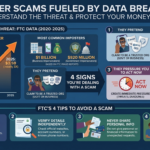
Every year, data breaches expose the personal information of millions of people. While many worry about outright identity theft, there is another growing threat that stems from these leaks: highly convincing imposter scams. Armed with your name, phone number, and snippets of your financial or personal history gathered from the dark web, scammers can easily pose as trusted entities to steal your money. When someone claiming to be from the FTC, the FBI, or your bank's fraud department recites … [Read more...]
July 28, 2026 By Computer Techs
FTC: Scammers ask you to pay a certain way
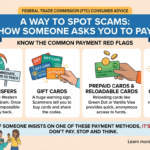
A recent report by the Federal Trade Commission details a way to spot scams - how someone asks you to pay. Let’s say someone contacts you unexpectedly and says you have to pay to fix a problem, get a prize, or something else. But then they say the only way to pay is by bank transfer, wire transfer, cryptocurrency, payment app, or gift card. Well, reports to the FTC show that’s a scam. Last year, people reported the largest losses — more than $4 billion in total — to scams where they … [Read more...]
July 21, 2026 By Computer Techs
The End of the Text Message Code: How to Keep Your Accounts Safe

Keeping up with technology can sometimes feel like an endless chore, especially when the rules for staying safe online seem to change every day. However, a major shift is currently happening that is incredibly important for protecting your digital identity and finances. Microsoft recently announced that they are phasing out SMS (text message) codes as a way to verify your identity when logging into personal accounts. Because Microsoft is leading this charge, it’s highly likely other major … [Read more...]
July 21, 2026 By Computer Techs
Do this now before scammers or hackers take over your email, financial or other online accounts
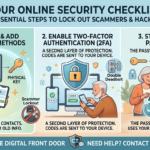
In today’s digital age, our personal information is more valuable than ever. We use our computers and smartphones for almost everything—from checking bank balances to keeping in touch with family. But that convenience also opens doors for hackers and scams. Cybercriminals are constantly looking for easy targets, and losing access to your accounts can range from a minor headache to a catastrophic event. Your email account, in particular, is the “master key” to your digital life. It's where you … [Read more...]
June 9, 2026 By Computer Techs
How to Spot Phishing Scams Instantly Using Gemini in Chrome or Copilot in Edge
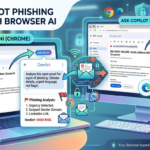
We’ve all been there: you open your inbox and find an email that sets off alarm bells. Maybe it’s a "critical security alert" from your bank, an unexpected delivery failure notification, or an urgent invoice from a vendor. It looks official, but something feels off. Now there's a built-in cybersecurity assistant right in your browser toolbar. Whether you use Gemini in Chrome or Copilot in Microsoft Edge, you can leverage sidebar AI to dissect a sketchy email in seconds. Here is how to do it … [Read more...]
June 8, 2026 By Computer Techs
How to spot a CAPTCHA scam
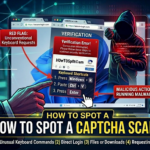
The FTC is reporting a new phishing scam that looks a lot like the CAPTCHA requests you might be used to seeing. Real CAPTCHAs give you image- or text-based tasks to prove you’re not a robot — something like typing letters and numbers exactly as they appear, or matching pictures of things like fire hydrants or traffic lights. Here’s how the fake CAPTCHA requests happen…and how you could wind up installing malware on your own device. You get an unexpected CAPTCHA request while browsing a … [Read more...]
May 28, 2026 By Computer Techs
The surprising things we’ve discovered with our cybersecurity checkups for individuals

In today's digital age, our personal information is more valuable than ever. From online banking to social media, we're constantly sharing sensitive data that could be a target for cybercriminals. That's why cybersecurity checkups have become increasingly important. These assessments can reveal vulnerabilities in our online presence that we may not even be aware of. Here are some surprising things we've discovered through cybersecurity checkups for individuals: 1. Weak or Reused … [Read more...]
April 23, 2026 By Computer Techs
Why YOU are the best protection against computer viruses

In the early days of computing, the primary digital threat was the "computer virus"—malicious code designed to disrupt your system or delete files. Today, however, the digital landscape has shifted dramatically. While traditional viruses still exist, modern threats have evolved into sophisticated phishing and social engineering scams that target the user rather than the software. Because these scams rely on human psychology rather than technical exploits, your own vigilance is now the most … [Read more...]