
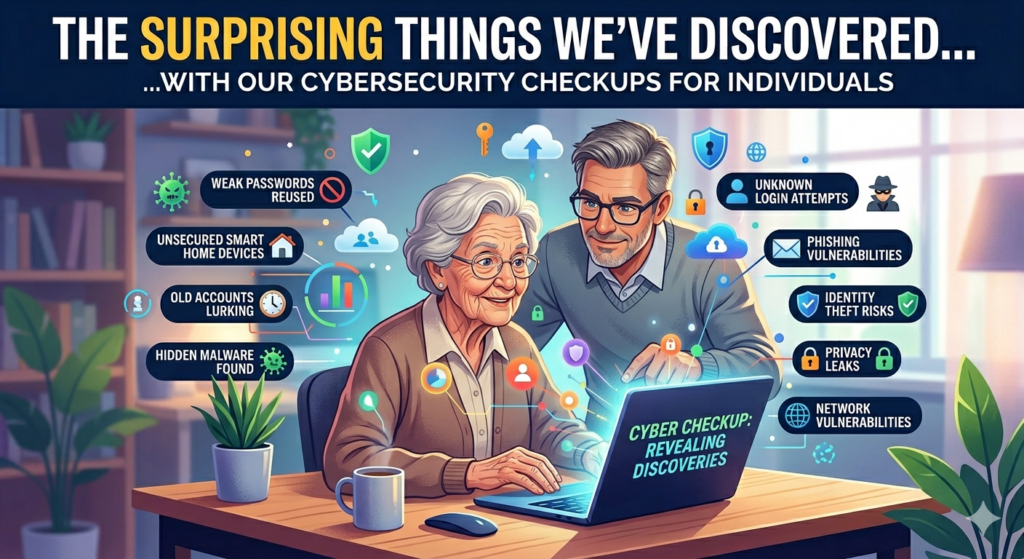
In today’s digital age, our personal information is more valuable than ever. From online banking to social media, we’re constantly sharing sensitive data that could be a target for cybercriminals. That’s why cybersecurity checkups have become increasingly important. These assessments can reveal vulnerabilities in our online presence that we may not even be aware of. Here are some surprising things we’ve discovered through cybersecurity checkups for individuals:
1. Weak or Reused Passwords
One of the most common vulnerabilities found in cybersecurity checkups is the use of weak or reused passwords. Many people use easy-to-guess passwords like “password123” or the same password for multiple accounts. This makes it incredibly easy for hackers to gain access to your online accounts. See: Using the Same Password Everywhere Is Like Using Your House Key for All of Your Locks.
2. Phishing Scams
Phishing scams are becoming more sophisticated and harder to detect. Cybersecurity checkups can help identify if you’ve been targeted by a phishing attempt. This could include emails from known or unknown senders asking for personal information or clicking on suspicious links. Recent scams are disguised as an invitation, document or pictures from someone you know, but include a link that downloads a remote access tool to your computer. Hackers can then have full control of your computer remotely and view everything that you can. See: Spend a few minutes to check out these scams so that you don’t become a victim.
3. Outdated Software or Operating Systems
Many people neglect to update their software regularly. Sometimes the operating system on your device that’s set to automatically update fails, or need a little push. Out-of-date software and operating systems can leave your device(s) vulnerable to security breaches and exploits. Cybersecurity checkups can identify which software and device operating systems needs updating.
4. Publicly Available Personal Information
You may be surprised to learn how much personal information is publicly available online. This information can be exposed from data breaches, data brokers and other sources – and be used by scammers to gain your trust or for impersonation scams or extortion attempts. The data may include your email addresses, phone numbers, home address, passwords, credit card numbers and even social security number. Cybersecurity checkups can help you identify and possibly remove any sensitive information that is easily accessible. Read: The Anxiety of Data Breaches and Dark Web PII Exposure: What You Can and Cannot Do.
5. Compromised Accounts
It’s possible for your online accounts to be compromised without your knowledge. Cybersecurity checkups can help detect if any of your accounts have been breached. This could include unusual login activity, unauthorized purchases, or suspicious emails. Hackers will often change or add their email address or phone number to account profile information so that they can re-gain access even if you change your password. Read: Reveal passwords stored in your browser – and check for the ones exposed in data breaches.
6. Lack of Two-Factor Authentication
Two-factor authentication adds an extra layer of security to your online accounts. However, many people don’t enable it. Cybersecurity checkups can remind you to enable two-factor authentication on your most important accounts. Understanding Two-Factor Authentication (2FA): Enhancing Your Online Security.
7. Email/phone forwarders to unknown destinations
Scammers with access to email or phone accounts may use the forwarding feature to have all emails or calls forwarded to the scammer in attempt to retrieve account 2FA or recovery codes.
8. Email filters & blocked senders lists contain rules that are redirecting important messages to trash or archive folders
If a scammer accesses your email account they will typically set up rules and filters to route important security emails to the trash so that you won’t notice that they are actively accessing your account.
9. No PIN/password lock on device
Not using a PIN, password or biometric (face or fingerprint) lock on your smartphone or computer can allow anyone accessing your device access to everything on it, and potentially allow someone to access your email and text messages and obtain 2FA codes for your accounts. Other information stored on our devices typically includes usernames/passwords and stored credit cards.
10. Outdated/unknown account recovery information
If you change your email address, phone number, or get rid of your home phone line, don’t forget to set or update your account recovery information for all of your online accounts. Out-of-date or unknown recovery information could get you locked out of your account(s), and let scammers in even if you change your passsword.
11. Rogue web browser extensions
Browser extensions can add useful features to your web browser, but if you get them from an unreputable source, or if the extension gets taken over by another publisher, they can potentially steal your personal data.
12. Exposing too much personal information on social media accounts
Exposing too much information on social media accounts can lead to account cloning or hacking. For example, Facebook makes your friends list and profile picture public by default, which makes it easy for scammers to clone your account and send friend requests to all of your friends. This makes it difficult for your friends to know if they are conversing with the real “you” or cloned version that is asking them for money.
13. RATs
RATs (remote access tools/trojans) are commonly used on computers used in business where IT departments can discreetly view the computers of employees. They are are typically NOT detected by antivirus software, because they are not viruses – they are legitimate programs used by businesses. But if someone is tricked into downloading and installing a RAT on their personal device, hackers can have remote access to the device with little to no evidence. Our cybersecurity and forensic experts can detect if a RAT is on your device and remove it.
14. Passkeys stored on unknown devices
Passkeys are a handy method of logging into your accounts without needing to type in your password. But if a hacker is able to access your Microsoft device via a RAT, or access your Google account via a phishing email, they could have access to all of the stored passwords in your web browser(s), addresses, phone numbers, recovery information and contacts list – even if you change your password or have 2FA setup! They could also change your recovery information thereby locking you out of your account(s). We’ve seen this happen to multiple clients.
Don’t wait until you become a victim
By conducting regular cybersecurity checkups, we can help identify potential vulnerabilities and take steps to protect your personal information. It’s a small investment of time that can have a big impact on your online security.