
You’re searching for a quick dinner recipe, trying to download a user manual for your refrigerator, or looking for a fast way to view a PDF online. You click a link, and suddenly a pop-up appears: “To view or print this document, you must install the PDF Helper Extension.”
It sounds reasonable enough, so you click “Allow” or “Install.”
Without realizing it, you’ve just fallen into one of the most common web traps around: downloading a Potentially Unwanted Program (PUP) or adware.
The Common Ring of Offenders
While these tactics can pop up anywhere, they are exceptionally prevalent as ads on specific types of websites:
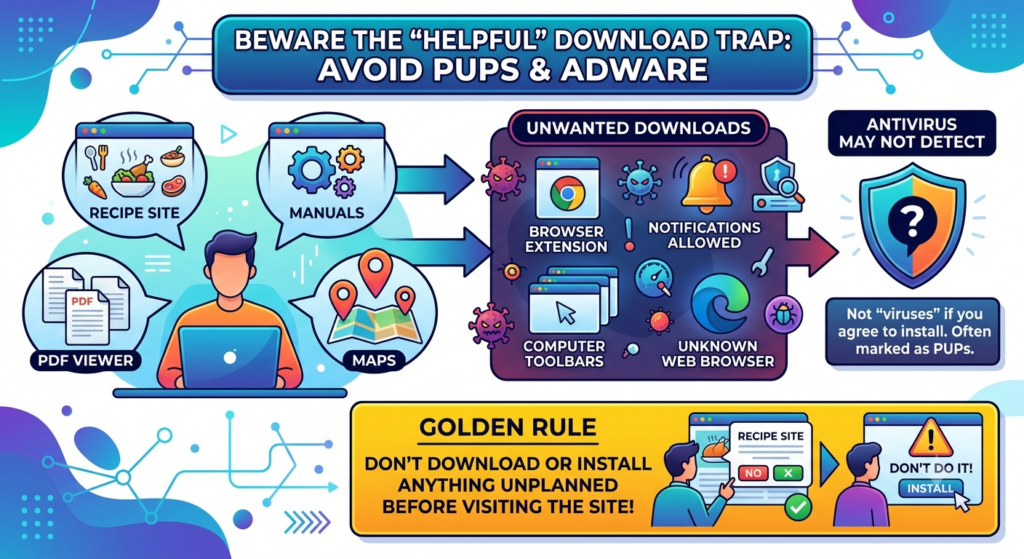
- Recipe websites: Prompts claiming you need a specific “print viewer” or toolbar to read or print the ingredients.
- Manual repositories: Tricking you into downloading executable files (
.exe) instead of standard PDF documents. - Package tracking websites: Instead of going to an official shipping website like ups.com or usps.com, a web search leads you to a 3rd party package tracking site that coerces you to install a browser extension in order to view details.
- Online map sites: Prompts insisting you install custom extensions to get accurate directions or street views.
- Free online PDF viewers: Sites claiming you need their specific browser extension or standalone reader just to view or convert a file. All major desktop web browsers let you open and view PDFs without needing to download/install anything extra.
- Driver updaters: Online ads claiming that your device’s drivers are out-of-date or expired.
- Search results: When searching the internet via Google, Bing, Yahoo or other search sites, clicking the “sponsored” or “ad” results can be hijacked leading you to fake security notices coercing you to call a phone number or download/install something to fix a made-up problem.
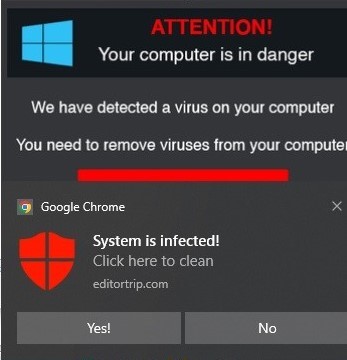
- Notifications on any website: Prompt for permission or direct you to “Allow Notifications”. Webmail or news websites often legitimately do this – but so do shady websites that often bombard you with pictures of virus warnings of false expired subscription notifications.
What They Want You to Install
These sites rarely ask you to download outright malicious viruses (which would trigger alarm bells). Instead, they coerce you into installing borderline software that generates revenue for them:
| Software Type | What It Does | Why It’s Bad |
|---|---|---|
| Browser Extensions | Modifies how your web browser behaves. | Hijacks your search engine, injects extra ads, and tracks your browsing data. |
| Search Toolbars & Helpers | Installs custom bars at the top of your browser or desktop. | Clutters your screen, slows down performance, and redirects your searches to paid advertisers. |
| Obscure Web Browsers | Prompts you to install a custom, unknown browser. | Often rebadged open-source browsers pre-loaded with spyware and intrusive ad networks. |
| Browser Notifications | Asks for permission or directs you how to “Allow Notifications” | Bombards your desktop or phone screen with relentless spam ads, even when the browser is closed. |
Why Your Antivirus Might Not Stop It
One of the most frustrating aspects of PUPs and adware is that your antivirus program might stay completely silent.
Technically, these programs aren’t traditional viruses that break into your computer through a security flaw. Because you clicked “Install,” “Allow,” or “Agree to Terms,” you technically granted the software permission to be on your machine. Antivirus software often categorizes these as lower-risk PUPs rather than threats, meaning the burden of defense falls entirely on you.
The Golden Rule to Protect Yourself
Avoiding these traps comes down to a simple mindset:
Never download or install anything you weren’t actively planning to install before you visited the website.
Modern web browsers like Chrome, Safari, Edge, and Firefox can natively read PDFs, display maps, print recipe pages, and play video without needing extra toolbars or plugins.
If a website tells you that you must install a new extension, browser, or utility just to perform a basic function—close the website. The recipe, manual, or map isn’t worth the hassle of cleaning adware off your computer.
Need help removing unwanted software and notifications?
Allowing PUPs and intrusive notifications to linger on your device is a recipe for trouble, as they often act as a gateway to download and install additional digital clutter. If you’ve already installed unwanted software, they can usually be uninstalled the same way other programs/apps are uninstalled. Browser notifications from shady websites can be deleted or blocked in your browser settings. If you still have pesky programs or pop-ups and need further help getting undoing what was done, contact Computer Techs for help.