
Managing dozens of complex logins doesn’t require paid third-party software or scribbled sticky notes. Modern smartphones come with built-in, bank-grade password managers that auto-fill logins, generate strong passwords, and protect your digital identity across all your devices.
The Native Built-In Solutions
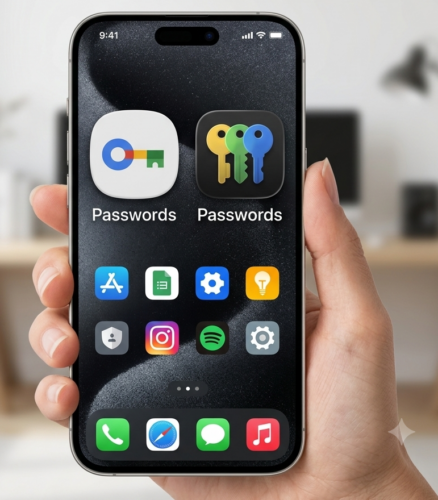
- Apple’s Passwords App: Introduced in iOS 18, Apple elevated its long-standing iCloud Keychain into a dedicated Passwords app. It organizes your web logins, Wi-Fi credentials, two-factor authentication codes, shared group passwords and modern passkeys in a single interface.
- Google Password Manager: Integrated directly into Android (and accessible via Chrome on desktop or iOS), Google’s tool automatically detects sign-in forms, prompts you to save credentials, and flags compromised logins through automated breach checks.
| Feature | Apple Passwords App | Google Password Manager |
|---|---|---|
| Primary Platform | iOS, iPadOS, macOS, Windows (via extension) | Android, Chrome browser, iOS (via Google app) |
| Authentication | Face ID, Touch ID, or device passcode | Fingerprint, Face Unlock, or screen lock PIN/Pattern |
| Key Features | Built-in 2FA code generator, passkey support, shared group password syncing & Wi-Fi passphrase sharing | Auto-fill in apps, data breach alerts, passkey support |
Secured by Your Device’s Lock Screen
Neither Apple nor Google stores your master vault behind a separate password you have to memorize. Instead, both platforms tie your password vault directly to the hardware-based authentication already protecting your phone:
- Biometric Hardware: Every time an app or website requests a login, your phone requires Face ID, Touch ID, Fingerprint Scan, or your device PIN before releasing the credential.
- On-Device Isolation: Credentials are processed inside your phone’s secure hardware enclave (Apple’s Secure Enclave or Android’s Trusted Execution Environment), ensuring malicious software on your phone cannot eavesdrop on your master keys.
End-to-End Encryption in the Cloud
Syncing your passwords across your laptop, tablet, and second phone doesn’t mean leaving them exposed on remote servers. Both ecosystem managers rely on zero-knowledge architecture during synchronization:
- End-to-End Encryption (E2EE): When your passwords sync through iCloud Keychain or Google Play Services, they are encrypted before leaving your smartphone. The encryption key is derived from your device passcode and unique hardware tokens.
- Zero-Knowledge Privacy: Because the data is encrypted end-to-end, neither Apple nor Google holds the decryption key—meaning even if cloud servers were compromised, your vault contents remain completely unreadable scrambled text.
Enabling auto-fill in your device’s settings allows your smartphone to manage the unique passwords that you should be using for each different website automatically, upgrading your digital hygiene without adding daily inconvenience.
If you need help with understanding and using the password manager on your smartphone or other devices, contact Computer Techs for help.