
You may have done this before: you’re creating a new account, you need a password, and you know you’re going to forget it. In a pinch, you open up your email, create a new contact with the name of the website you just signed up for, and dump all your sensitive login info into the notes section. It’s convenient, it syncs across your devices, and it’s right there when you need it.
But here’s the reality: saving passwords in your email contacts list is an absolute goldmine for hackers. While it feels like a private digital sticky note, you’re essentially leaving the keys to your entire digital life sitting right on the dashboard of your car. Here is why this common habit is incredibly dangerous.
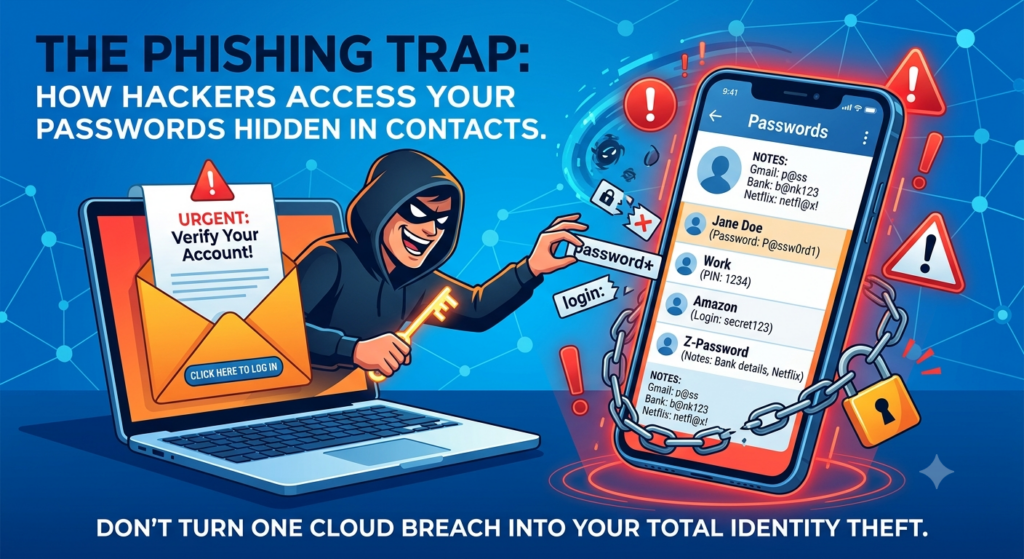
1. The Phishing Trap: A Single Click Can Undo Everything
Because your email contacts are stored online and synced via the cloud, they are only as secure as the gate keeping people out of your email account. This is where phishing scams come into play.
Phishing attacks have become incredibly sophisticated. All it takes is one convincing email—looking exactly like a notification from your bank, a delivery service, an invitation from a friend, or even your workplace—to trick you into entering your login credentials on a fake page.
The Domino Effect: If a phishing scam successfully tricks you, a hacker instantly gains access to your email account. If your passwords are stored in your contacts, that single breach doesn’t just compromise your email—it hands the hacker a neatly organized directory of every other account you own.
2. Contact Lists Are Built to Be Shared
By design, email platforms make it easy to export, share, and sync contact lists. Many smartphone apps request permission to access your contacts when you install them. If a malicious or poorly secured app gets access to your contact list, it could scrape the data in those contact cards—including the “Notes” section where your passwords are hiding.
3. The “Sneaky” Names Don’t Fool Anyone
If you think you’re outsmarting hackers by labeling the contact “John Password,” think again. Hackers use automated scripts and software when they breach an account. These tools don’t just skim your inbox; they instantly search your entire account for keywords like “password,” “pin,” “login,” or common website names. Your clever disguise will be uncovered in milliseconds.
How to Protect Yourself Instead
Breaking a bad password habit is easier than dealing with identity theft or financial fraud. If you currently have passwords in your contacts, take a few minutes today to clean things up:
- Use a Dedicated Password Manager: Tools like your browser’s password manager are designed specifically to encrypt your data, and prompt for authentication before revealing on inserting the password. Even if someone hacks your email, they can’t get into your password manager without a master key that only you know.
- Turn on Two-Factor Authentication (2FA): Enable 2FA on your email account immediately. This ensures that even if a hacker gets your password through a phishing scam, it makes it tougher for them to log in without a secondary code sent to your physical device. You would have to inadvertently relay the code to the scammer.
- Delete the Evidence: Once you’ve moved your passwords to a secure manager, permanently delete those contact cards. Don’t forget to empty your email’s “Deleted Items” or “Trash” folder, too!
The Bottom Line: Convenience is often the enemy of security. Keeping your passwords in your contacts might save you a few seconds today, but it could cost you your digital security tomorrow. Move them to a safe space before a hacker finds them for you.
Also read: How to manage your passwords – easily and safely.