
In today’s digital age, our personal information is more valuable than ever. We use our computers and smartphones for almost everything—from checking bank balances to keeping in touch with family. But that convenience also opens doors for hackers and scams.
Cybercriminals are constantly looking for easy targets, and losing access to your accounts can range from a minor headache to a catastrophic event. Your email account, in particular, is the “master key” to your digital life. It’s where you receive password resets and security codes for your bank, healthcare portals, and social media. If a hacker gets into your email, they can usually get into everything else.
Fortunately, securing your digital front door doesn’t have to be complicated. Here are three crucial steps you should take right now to lock scammers out of your life.
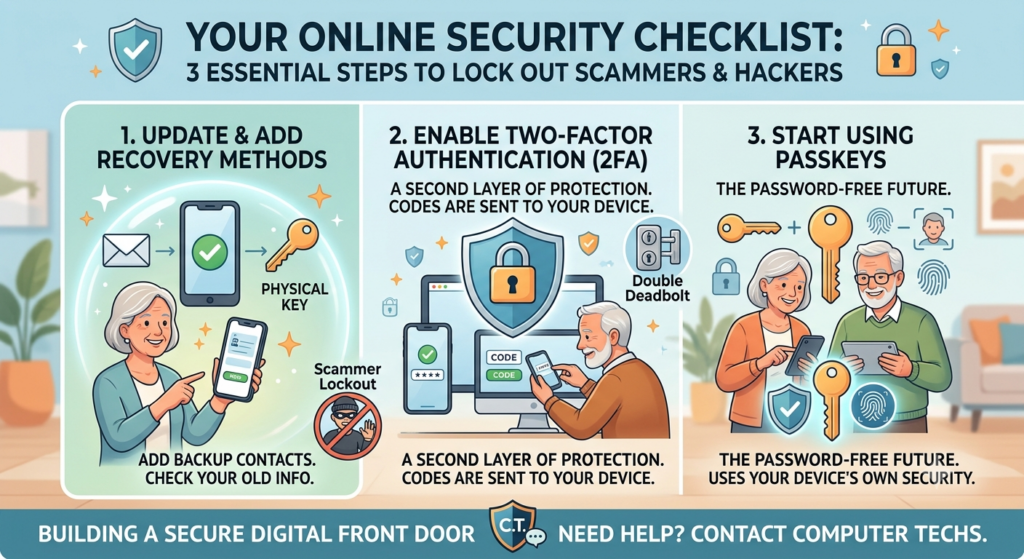
1. Check and Update Your Account Recovery Methods
When you forget a password, websites use your “recovery information” (usually a backup email address or a phone number) to help you get back in. However, if a hacker gains access to your account, one of the very first things they will do is change your recovery information to their own phone number or email. This ensures they can get back in even if you try to change your password.
What you need to do:
- Update old info: If you change your email address, get a new cell phone number, or finally get rid of your old home landline, don’t forget to update the recovery info on your online accounts.
- Add backups: Make sure your email accounts, financial accounts, and accounts linked to your devices have multiple, current contact and recovery methods listed.
2. Turn On Two-Factor Authentication (2FA)
Using just a password to protect your account is like having a lock on your front door but leaving the key under the welcome mat. If a hacker guesses your password or buys it from a data breach, they can walk right in.
Two-factor authentication (2FA) adds a second, heavy-duty deadbolt. Instead of relying solely on a password, 2FA requires a second piece of information that only you haveyou.
How it works:
- First, you enter your username and password (something you know).
- Second, you are prompted to provide a second “factor” to prove it’s really you.
- This second step is usually a code sent to your mobile phone via text message, or a code generated by a special “Authenticator App” on your smartphoneThis second step is usually a code sent to your mobile phone via text message, or a code generated by a special “Authenticator App” on your smartphone.
- Which is best? Using an Authenticator app (like Google Authenticator, Authy or Apple’s Passwords app) is generally more secure than getting a text message. However, using a text message code is still much better than having no 2FA at all!
Take the time to set up 2FA on your important accounts today—it’s a small step that can provide significant security benefits.
3. Start Using Passkeys (The Password-Free Future)
Passwords can be guessed, stolen, or accidentally given away to a scammer. Passkeys are a newer, vastly safer alternative that replaces traditional passwords entirely.
Instead of typing out a password, a passkey uses your device’s built-in security—like your face scan, fingerprint, or computer PIN—to log you in.
Why Passkeys are great:
- You don’t have to remember a complicated password.
- Hackers cannot steal a passkey from a data breach because the key lives safely on your device, not on a company’s server.
- Even better, you aren’t trapped on just one device. You can use your iPhone or Android smartphone as a “physical key” to securely sign into websites on your desktop computer.
Need a Little Extra Help?
Cybersecurity might sound complicated, but with the right guidance, it becomes part of everyday home care—just like changing the batteries in your smoke detector or locking your doors at night.
If setting up two-factor authentication or checking your recovery settings feels overwhelming, Computer Techs is here to help. We offer comprehensive Cybersecurity Checkups to make sure your devices are protected and your online habits aren’t putting your personal information at risk.
Contact us today to schedule an appointment, and gain the peace of mind knowing your data is safe and secure.