

The internet is always changing, and so are the tools we use to explore it—our web browsers (like Chrome, Edge, and Safari). In 2025, you might notice some exciting new features designed to make your time online easier, safer, and smarter, especially when it comes to logging in and protecting you from tricky scams. 🤖 Smart Helpers: The New AI Features Artificial Intelligence (AI) is like a clever assistant built right into your browser now. These new AI tools are designed to help you … [Read more...]
November 21, 2025 By Computer Techs
October 1, 2025 By Computer Techs
Beware: The Latest Tech Scams You Need to Know About

Updated 9/28/26: Cybercriminals are always looking for new ways to trick people, and we at Computer Techs are seeing an uptick in scams that target computer and internet users. These scams often look convincing on the surface, but with a little extra caution, you can spot the red flags before becoming a victim. Fake Invitations and Social Security Statements One of the most dangerous scams making the rounds is an email that appears to come from someone you know—a neighbor, friend, … [Read more...]
September 24, 2025 By Computer Techs
Using Webmail for Reliable Email Troubleshooting

In today’s digital world, many people access their email through email clients or apps installed on their mobile devices or computers. Popular email clients include the Mail app on Mac and iOS, Microsoft Outlook and Thunderbird on Windows, and Samsung Email on Samsung Android devices. These applications provide a convenient, organized way to view and respond to email from one or multiple accounts in a single interface. However, when encountering email problems such as missing messages, … [Read more...]
August 19, 2025 By Computer Techs
Using the Same Password Everywhere Is Like Using Your House Key for All of Your Locks

Imagine if one single key unlocked your house, your car, your office, and even your safety deposit box at the bank. Convenient? Sure. Safe? Absolutely not. If you were to lose that key—or if someone were to steal it—they would instantly have access to everything important in your life. That’s exactly what happens when you reuse the same password across multiple accounts. The Convenience Trap It’s easy to see why people reuse passwords. With dozens of logins for banking, shopping, email, … [Read more...]
August 19, 2025 By Computer Techs
Check the Source to Help Stop Phishing and Scams

In today’s digital world, phishing and online scams remain some of the most common ways criminals trick people into giving up sensitive information. These attacks often look convincing—emails that appear to be from your bank, websites that resemble popular retailers, or texts that mimic delivery services. However, most phishing attempts can be uncovered with a simple habit: checking the source email address or website before taking action. Why Source Details Matter Scammers rely on urgency … [Read more...]
July 21, 2025 By Computer Techs
What You Need to Know About Backup and Cloud Storage – And How to Avoid Recent Scams
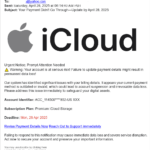
In today’s digital world, the importance of backing up your data cannot be overstated. Whether it's precious family photos, important documents, notes, contacts, or your calendar/reminders, losing data can be devastating. Cloud storage has become one of the most popular and convenient ways to ensure that your files are safe, accessible, and recoverable in case of loss. However, as the use of cloud services has grown, so too has the number of scams targeting unsuspecting users. Understanding … [Read more...]
July 21, 2025 By Computer Techs
Why Senior Citizens Shouldn’t Be Afraid of AI – How It’s Used in Their Everyday Lives

Artificial Intelligence, or AI, is becoming a part of everyday life—but for many senior citizens, it still feels like something to fear. Negative headlines, privacy concerns, and the mystery of how it all works can be intimidating. However, the truth is that AI is already helping seniors in simple, supportive ways—often without them even realizing it. From health reminders and voice assistants to easier Google searches and improved home safety, AI is designed to enhance independence, not take … [Read more...]
June 24, 2025 By Computer Techs
A Beginner’s Guide to Passkeys: How to Set Them Up, Use Them, and Sync Across Devices

Updated 9/3/26 - further clarification of passkeys: Passkeys are a safer, passwordless login alternative, allowing you to sign in to accounts using your device's biometrics (Face ID/fingerprint) or PIN. They offer strong protection against phishing attacks and data breaches while syncing securely across your devices through platforms like Google Password Manager, Apple iCloud Keychain, and Microsoft Password Manager. While major tech companies and retailers support passkeys, they … [Read more...]
June 24, 2025 By Computer Techs
The Anxiety of Data Breaches and Dark Web PII Exposure: What You Can and Cannot Do

In today’s digital world, data breaches are no longer rare events—they are a near-constant threat. From social media platforms to healthcare providers to internet service providers, major organizations have seen their systems compromised, often resulting in personally identifiable information (PII), being leaked onto the dark web. Understandably, this has created a new wave of anxiety for individuals—many of whom have no idea their data has been exposed until it’s too late. But while the fear … [Read more...]
April 22, 2025 By Computer Techs
Why Retirees Are Targets for Identity Theft or Credit Fraud

When people retire, it’s easy to assume that certain financial concerns fade away—especially the fear of identity theft or credit fraud. After all, if you're no longer applying for loans or opening new credit cards, why would anyone want to target your credit file? In reality, seniors remain prime targets for identity thieves, and freezing your credit can be one of the simplest and most effective ways to guard against potential financial harm. Here’s why even retirees should seriously … [Read more...]