
Every morning begins the same way: you open your email expecting important updates, only to wade through an endless stream of miraculous diet pills, dubious inheritance offers, and sketchy promotional deals. Spam is the digital equivalent of unwanted junk mail stuffed into your physical mailbox, but you do not have to accept a cluttered inbox as a permanent reality. With a few strategic habits, you can train your email client to catch the clutter before it ever reaches your eye.
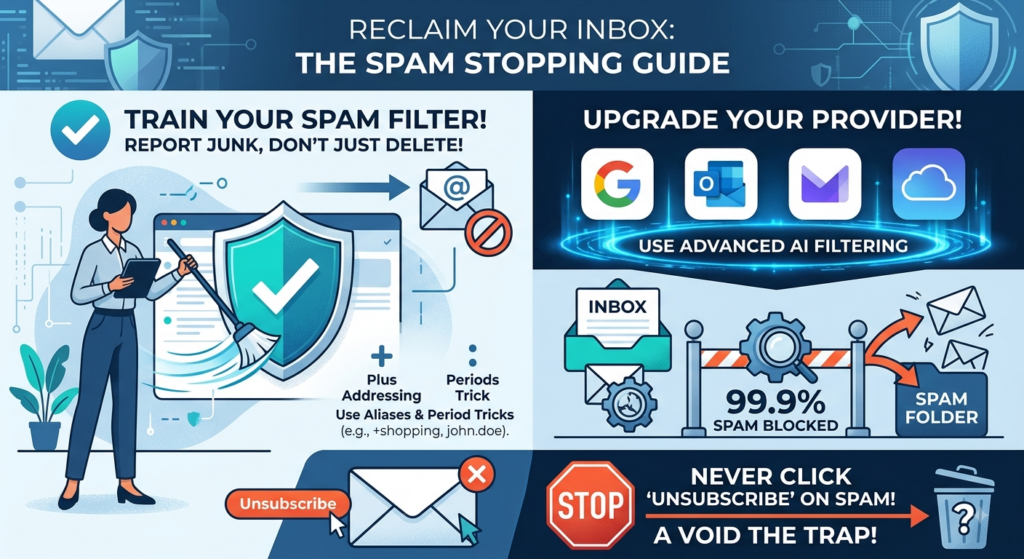
Beware of the unsubscribe trap
This is the single biggest mistake most people make when fighting junk mail. On legitimate newsletters, the “Unsubscribe” button at the bottom is a legal requirement that works as intended. On actual spam, however, clicking that link is a massive trap. Doing so sends a ping back to the spammer confirming two vital details: your email address is active, and there is a real human actively reading messages sent to it. Once verified, your address is often bundled and sold to other spammers, multiplying your junk mail tenfold. Unless you explicitly remember signing up for the mailing list, simply report it as spam and move on.
Read: Why you should never unsubscribe from certain emails.
Train your spam filter, don’t just delete
When a junk email lands in your primary inbox, your immediate instinct is probably to hit the delete button. Resist that urge. Deleting a message removes it from sight, but it teaches your email provider nothing. Always select Report Spam or Mark as Junk instead. Modern email platforms rely on sophisticated machine learning, and every time you flag a rogue message, you help refine the filter rules for future incoming mail.
Use an email service that’s better at spam filtering
Upgrade your provider to one with advanced filtering. Not all email platforms handle junk mail with the same level of intelligence. If you are using a free email address provided by your internet service provider, it only provides basic, keyword-based blocklists that let plenty of garbage slip through. Switching to a modern provider like Gmail, Outlook, or Proton Mail gives you access to enterprise-grade AI filtering. Gmail, for example, processes billions of emails daily to block more than 99.9% of spam, phishing, and malware from ever reaching your Inbox. Changing your main address may seem daunting, but Computer Techs can help you with a gradual switch that will make email easier to manage day-by-day.
Use an alias
Avoid giving out your primary email address for quick discounts, random wifi logins, or online store checkouts. Most major providers let you create custom aliases or feature built-in “Hide My Email” tools that generate unique, disposable addresses forwarding to your main inbox. If an alias starts receiving spam, you can deactivate it instantly without affecting your primary account. Creating custom aliases or leveraging built-in address tricks allows you to track who is sharing your data and instantly block sources of junk.
Gmail (Plus Addressing & Period Tricks): Gmail ignores periods in your username, meaning john.doe@gmail.com and johndoe@gmail.com go to the exact same place. You can also add a plus sign followed by any word (e.g., johndoe+shopping@gmail.com). Use custom plus addresses when signing up for services—if spam starts arriving at that specific address, you can easily create a filter to delete it automatically.
Yahoo Mail (Disposable Email Addresses): Yahoo offers a dedicated Disposable Address feature. You set a base keyword, then attach a specific suffix for every service you sign up for (e.g., basename-newsletter@yahoo.com). If a company sells your address, you can delete that specific disposable tag without affecting your main account.
Outlook.com (Custom Aliases): Microsoft lets you create up to 10 distinct alias addresses (youralias@outlook.com) under a single account. They all share the same inbox, contacts, and calendar, but you can choose to send and receive mail from any of them—or turn off sign-in permissions for specific aliases if they get compromised.
iCloud Mail (“Hide My Email”): If you are in the Apple ecosystem, iCloud+ offers a built-in feature called Hide My Email. It generates completely random, unique addresses on the fly that forward directly to your real inbox. You can toggle off or delete a generated address at any time to instantly cut off spam.
Taking back control of your inbox does not require complex technical wizardry—just a bit of discipline and the right habits. Treat your email address like a private phone number, flag junk diligently, and never fall for the scammer’s unsubscribe link.