

While no service can guarantee the complete and permanent removal of your data from the dark web, some services can reduce your exposure. Here's a breakdown of what they can and cannot do: What Dark Web Monitoring Services Can Do: Monitor: These services continuously scan known dark web marketplaces, forums, and other hidden areas for your personal information. This includes things like: Email addresses Passwords Social Security numbers Credit card numbers Bank account … [Read more...]
March 18, 2025 By Computer Techs
February 18, 2025 By Computer Techs
Learn how to spot scams that pop-up on your screen – and how to close your browser
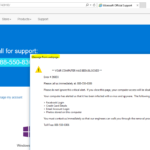
This article originally published September 2015 - updated March 2017, February 2025 Malicious advertisements or links can redirect your web browser to webpage designed to look like an official warning from Microsoft or Apple. The fake warnings often have the following characteristics: Tell you that there's a problem with your computer, it's been blocked, and you need to call the number presented immediately to prevent harm Tell you NOT to turn off your computer The warnings are … [Read more...]
January 20, 2025 By Computer Techs
Understanding Two-Factor Authentication (2FA): Enhancing Your Online Security
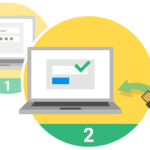
With the rise in cyber threats and data breaches, protecting your online accounts is more crucial than ever. One of the most effective ways to secure them is through Two-Factor Authentication (2FA). This guide explores what 2FA is, how it works, and why it’s essential for safeguarding your digital identity. What is Two-Factor Authentication (2FA)? Two-factor authentication is an extra layer of security used to verify that a user attempting to log into an online account is who they claim to … [Read more...]
October 20, 2024 By Computer Techs
Laptop Battery Bulging: A Cause for Concern

Laptop batteries are essential components that power our devices. However, over time, these batteries can experience issues, one of which is bulging. This phenomenon occurs when the battery's internal components expand, causing the casing to bulge outward. While it may seem like a minor cosmetic issue, a bulging battery can pose safety risks and should be addressed promptly. Causes of Laptop Battery Bulging Several factors can contribute to laptop battery bulging: Overcharging: … [Read more...]
September 29, 2024 By Computer Techs
What to do if you’ve been notified that your personal information has been exposed in a data breach or is on the dark web
A data breach can be a frightening experience. If it's the first time you've ever been notified that your personally identifiable information (PII) has been exposed, it's important to take immediate action to protect yourself from potential identity theft or other harm. Here's a step-by-step guide on what to do: 1. Assess the Damage Review the breach notification: Companies are required by law to inform you about the breach and provide details on what data was exposed. Understand exactly … [Read more...]
August 30, 2024 By Computer Techs
National Public Data Breach Exposes 2.9 Billion Records: How to Check if Your Information Was Exposed

A significant data breach including 2.9 billion records from the company National Public Data has compromised the personal information of many millions of Americans. National Public Data normally sells data to companies for the purpose of background checks, criminal records and more. But it appears that much, if not all of the data they've obtained over the years has been leaked. The breach includes sensitive data such as names, addresses, Social Security numbers and birthdates - information … [Read more...]
May 20, 2024 By Computer Techs
Check your email login activity to see if hackers are trying to gain access

Your email account is one of the most important online accounts to keep secure and un-hackable. There are two main reasons why checking recent login activity to your email account is a good idea: Spotting Unauthorized Access: Your email account likely contains sensitive information, personal documents, and access to other online accounts. By checking the login activity, you can see if someone else has accessed or attempted to access your account from an unrecognized location or device. This … [Read more...]
January 17, 2024 By Computer Techs
Do you need to pay for antivirus?

Updated May 2026 Windows Security vs. Paid Antivirus For years, we've been bombarded with warnings about lurking online threats, prompting many to invest in pricey antivirus software. But with Windows Security, a robust built-in security solution on modern supported versions of Windows, is paying for additional protection really necessary? Windows Defender: A Force to Be Reckoned With Windows Defender is the core antivirus and anti-malware protection included in Windows Security. … [Read more...]
November 15, 2023 By Computer Techs
FBI warning: Cyber criminals impersonating brands using search engine advertisement services to defraud users
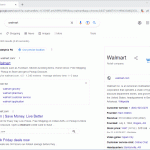
Cybercriminals are Targeting People with Malvertising and Imitation Ads In recent months, there has been a surge in cybercriminal activity using a variety of techniques, including malvertising and imitation ads, to trick people into revealing personal and financial information or downloading malware. FBI Warns of Imitation Ads in Paid Search Results The FBI has warned of an increase in imitation ads that are appearing in paid search results. These ads are designed to look like ads from … [Read more...]
October 16, 2023 By Computer Techs
Passkeys slowly replacing passwords for account logins
Passkeys are a new secure way of logging into websites and apps without the need for a username and password. Google just made passkeys the default method for sign-in unless you opt-out. As of fall 2023, few websites support the use of passkeys for sign-in. Usernames and passwords will continue to exist for many years due to the slow and voluntary adoption of passkeys. Therefore we still recommend the use of a password manager to store passwords, passkeys and secure … [Read more...]