
Originally posted January 2010. Updated September 2020: To help prevent unauthorized access to personal information, many websites require a password that consists of six or more characters, numbers and letters, and uppercase and lowercase letters. Creating a password that meets the requirements and being something you can remember doesn’t have to be a challenge. I have created a password system that you can use or modify to create memorable passwords. The most important part of the system … [Read more...]
September 1, 2020 By Computer Techs
July 31, 2020 By Computer Techs
Watch the world from home
To help pass the time while sheltering or quarantining at home, check out these websites to view live video of webcams featuring scenery and nature. EarthCam – A website and also available as an app on various devicesEarthCamTV – Random webcams around the globe displayed on a scheduleearthTV – Also available as a live streaming YouTube channelExplore.org livecams – Watch nature and animalsWindowSwap – See random views from Windows throughout the worldReno … [Read more...]
July 31, 2020 By Computer Techs
How to send a message from your phone correctly
This may happen to you: A few times each month I get an email delivered to my junk/spam folder from an address such as 7755551212@txt.att.net. If I happen to recognize the 10-digit phone number before the “@” symbol I can recognize who it’s from, and respond accordingly. But often times it goes unnoticed or unopened. When sending messages from a smartphone you typically have 2 options – a “Messages” app and an “Email” app. The Messages app is meant for sending short messages – … [Read more...]
July 31, 2020 By Computer Techs
Can you spot “phishing” or a scam? Take the quiz.
How well can you spot a scam? Take the following quizzes to help protect yourself the next time you get an email, text message, website pop-up or phone call. Scam Spotter Can you spot when you’re being phished? OpenDNS Phishing Quiz … [Read more...]
April 1, 2020 By Computer Techs
We can help with many computer issues without coming out to your home
A majority of our customers already take advantage of our remote support service Remote Support allows us to see your computer screen and operate your keyboard and mouse via your internet connection. This can be helpful if you need a quick-fix to a problem, or other service that doesn't require an in-home visit. Or perhaps you'd like service outside of our normal in-home daytime business hours. With Remote Support we offer a lower rates than our on-site service. Payment can be made via credit … [Read more...]
April 1, 2020 By Computer Techs
Give the gift of computer help or service

Are you looking for the perfect gift for someone who needs computer help or service? Consider giving the gift of computer help or service with the purchase of a Computer Techs eGift Card. eGift Cards can be used towards payment of remote support or on-site services. Click the link picture below for more details, or to purchase now. … [Read more...]
March 16, 2020 By Computer Techs
How to clean and disinfect your screen, keyboard and mouse
Cleaning and disinfecting your screen – including the one on your smartphone or tablet – as well as your keyboard and mouse can be done with some common items that you most likely already have around the house. For cleaning your computer and smartphone screen you can use a soft lint-free cloth and a mix of isopropyl alcohol and water or disinfecting wipe. Turn off your device before cleaning, be careful not to scratch the surfaces or allow liquids to seep into any holes, and allow time for … [Read more...]
January 29, 2020 By Computer Techs
Why you should keep your computer ON when not using it
If you use a desktop computer, we recommend leaving it ON when not using it. Here’s why: Your computer does important maintenance tasks when “idle” – basically the time when you walk away from it for 5-10 minutes or more. To be idle the computer needs to be left ON – not in sleep mode, standby, logged off, nor powered off.Maintenance tasks include scanning for and installing Windows Updates, virus/malware scans, disk defragmentation, and any other updates that may be … [Read more...]
July 31, 2019 By Computer Techs
What you need to know about the Summer 2017 Equifax data breach
Updated 7/31/19 to include Equifax Data Breach Settlement information: In July 2019 Equifax agreed to a settlement with the Federal Trade Commission, the Consumer Financial Protection Bureau, and 50 U.S. states and territories. The settlement includes up to $425 million to help people affected by the data breach. For more information including a lookup tool to see if your data was affected by the data breach, see the following official FTC website: ftc.gov/Equifax Beware of … [Read more...]
January 31, 2019 By Computer Techs
Email scam uses data from breached websites to craft authentic looking email – How to check if your data was exposed
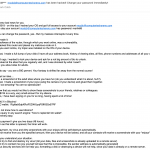
A new email scam has been quickly spreading with different variants that claims to have hacked the recipient’s email account and includes a password used by the recipient. One variant further claims to have caught the recipient looking at pornographic websites, and demanding “ransom” in the form of Bitcoin payment to prevent the release of webcam photos being sent to all the recipient’s contacts. An example email is shown below. If you’re the recipient of such an email you may think … [Read more...]