
Email has become one of the main ways we communicate both for work and personal conversations. It’s estimated that a person sends and receives an average of 126 emails per day, and that’s just for work. We all know that it doesn’t take long for an inbox to get unwieldy and fill up with older messages that are no longer needed or spam that can be deleted. But in between those unnecessary messages are emails that you need to keep. Trying to balance the two can be a challenge. Some users even … [Read more...]
January 17, 2022 By Computer Techs
January 14, 2022 By Computer Techs
How Did My Password End Up in a Data Breach?
Updated August 2024: Most of us will have experienced a data breach at one point or another. Maybe you’ve received an email from a identity monitoring service telling you that one of your passwords has been compromised. Or perhaps your password manager has notified you that one of more of your passwords has been detected in a data breach of a website that you've registered with. It can be worrying to receive these notifications. You’ll likely wonder how your password ended up in a breach … [Read more...]
December 31, 2021 By Computer Techs
Why You May Still Need a Computer Even If You Have a Tablet

Updated August 2024: Tablets have become a popular mobile device that fits a gap between the personal computer and the smartphone. It’s not always convenient to go to your computer to look up a website, and smartphone screens are so small that the experience just isn’t the same. When lounging on the sofa or traveling, tablets can provide a good experience for shopping online, browsing certain sites, or accessing social media. But, they do have limitations and aren’t a full replacement for … [Read more...]
December 27, 2021 By Computer Techs
Keep your mobile phone number safe from hackers
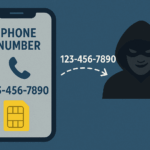
Updated 7/3/25 with new information: Your mobile phone number has become increasingly valuable because it’s the way that hackers can gain access to your online financial, email and social media accounts. We now are encouraged to use our smartphone and attached phone number to prove who we are – often via Multi-Factor Authentication (MFA), a method that requires not only entering your username/email address and password into a website, but also entering a code or responding to a prompt sent to … [Read more...]
November 22, 2021 By Computer Techs
Google isn’t evil – Why we like Google
It’s easy to vilify large tech companies. They hold a lot of power over our online lives. One organization that people like to point to as a monopoly is Google. The company owns over 91% of the worlwide search market share, but it got there for a reason. Google’s business model is to give people searching online what they want. So it’s in the company’s best interest to make your online life easier. Keeping people searching on its site allows Google to continue running a successful ad business … [Read more...]
November 16, 2021 By Computer Techs
Watch Computer Techs recommended videos on YouTube
Computer Techs recommended videos is a YouTube playlist consisting of our favorite videos that will educate the viewer about computer and technology related scams, usage tips, and sometimes a funny video that gives us a good laugh. Be sure to press the "Subscribe" button to get notified about new videos that we add from time-to-time. Whenever you need help with your computer or anything related to technology, please contact Computer Techs. … [Read more...]
October 7, 2021 By Computer Techs
June 23, 2021 By Computer Techs
Reveal passwords stored in your browser – and check for the ones exposed in data breaches
Updated January 2026: All major web browsers have the option to save the login and password for the websites that you visit so it’s easier to login the next time you visit a site. If you don’t already have a password system to create secure and memorable passwords, or a password manager to store your logins and other secure information – your browser’s password manager can securely store logins for you and will suggest a strong and unique password for new websites that … [Read more...]
May 25, 2021 By Computer Techs
Spend a few minutes to check out these scams so that you don’t become a victim

Updated June 2025: Scammers are becoming increasingly clever. Every month we hear from clients who have been scammed by letting someone take control of their computer and coerce them into paying for support for non-existent computer or account-related problems. With a little bit of knowledge of how these scams work, you won't become a victim yourself. Scams typically start with a website pop-up, email, phone call or text message from a well-known company such as Amazon, … [Read more...]
May 25, 2021 By Computer Techs
Listen to these recordings of scam calls so that you can recognize them and not fall victim
Please listen to our recordings of scam calls and messages that you’ll likely receive at some point in time, so that you can become familiar with the scams and not fall victim to them. Click the orange Play button below, or listen to all uploaded Scam calls on clyp.it. … [Read more...]