


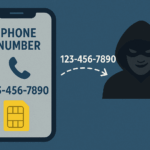
Updated 7/3/25 with new information: Your mobile phone number has become increasingly valuable because it’s the way that hackers can gain access to your online financial, email and social media accounts. We now are encouraged to use our smartphone and attached phone number to prove who we are – often via Multi-Factor Authentication (MFA), a method that requires not only entering your username/email address and password into a website, but also entering a code or responding to a prompt sent to … [Read more...]
December 27, 2021 By Computer Techs
November 22, 2021 By Computer Techs
Google isn’t evil – Why we like Google
It’s easy to vilify large tech companies. They hold a lot of power over our online lives. One organization that people like to point to as a monopoly is Google. The company owns over 91% of the worlwide search market share, but it got there for a reason. Google’s business model is to give people searching online what they want. So it’s in the company’s best interest to make your online life easier. Keeping people searching on its site allows Google to continue running a successful ad business … [Read more...]
November 16, 2021 By Computer Techs
Watch Computer Techs recommended videos on YouTube
Computer Techs recommended videos is a YouTube playlist consisting of our favorite videos that will educate the viewer about computer and technology related scams, usage tips, and sometimes a funny video that gives us a good laugh. Be sure to press the "Subscribe" button to get notified about new videos that we add from time-to-time. Whenever you need help with your computer or anything related to technology, please contact Computer Techs. … [Read more...]
October 7, 2021 By Computer Techs
June 23, 2021 By Computer Techs
Reveal passwords stored in your browser – and check for the ones exposed in data breaches
Updated January 2026: All major web browsers have the option to save the login and password for the websites that you visit so it’s easier to login the next time you visit a site. If you don’t already have a password system to create secure and memorable passwords, or a password manager to store your logins and other secure information – your browser’s password manager can securely store logins for you and will suggest a strong and unique password for new websites that … [Read more...]
May 25, 2021 By Computer Techs
Spend a few minutes to check out these scams so that you don’t become a victim

Updated June 2025: Scammers are becoming increasingly clever. Every month we hear from clients who have been scammed by letting someone take control of their computer and coerce them into paying for support for non-existent computer or account-related problems. With a little bit of knowledge of how these scams work, you won't become a victim yourself. Scams typically start with a website pop-up, email, phone call or text message from a well-known company such as Amazon, … [Read more...]
May 25, 2021 By Computer Techs
Listen to these recordings of scam calls so that you can recognize them and not fall victim
Please listen to our recordings of scam calls and messages that you’ll likely receive at some point in time, so that you can become familiar with the scams and not fall victim to them. Click the orange Play button below, or listen to all uploaded Scam calls on clyp.it. … [Read more...]
March 24, 2021 By Computer Techs
Internet crimes up over 69% in 2020: Phishing scams more than double and people over 60 the most common victims
The FBI’s Internet Crime Complaint Center has released its annual report. The 2020 Internet Crime Report includes information from 791,790 complaints of suspected internet crime—an increase of more than 300,000 complaints from 2019—and reported losses exceeding $4.2 billion. Topping the list of types of reported internet crimes was phishing, which more than doubled last year. People over 60 were the most common victims according to the report. Nevada had the 8th most complaints of … [Read more...]
February 17, 2021 By Computer Techs
FTC Identity Theft website guides victims through the recovery process
If you’ve been a victim of identity theft, the Federal Trade Commission’s IdentityTheft.gov is the federal government’s one-stop resource for identity theft victims. The site provides streamlined checklists and sample letters to guide you through the recovery process. If you haven’t been a victim, read these tips to help keep your identity from being stolen or compromised in the first place: Prevent Identity Theft. … [Read more...]
December 24, 2020 By Computer Techs
Massive government and business computer hack will likely effect home users too – What you need to do
A massive government and business computer hack was discovered early this month (December 2020), but the long term effects likely won’t be known for months or years as more knowledge is obtained about what companies were affected and what data may have been (or will be) breached. Early details of the hack are explained in these comprehensive articles from CNN and CNET. The hack was spread to thousands of computer systems, altogether likely containing the private data of a … [Read more...]