6 Tips For Organizing Your Gmail to Avoid a Bottomless Inbox

How often have you missed out on an appointment, paying a bill, or responding to an important message because the e-mail notice got lost in your cluttered inbox?

Every day, we receive lots of e-mails, both important and unimportant, which can be overwhelming. Due to the numerous amount of e-mails, it can cause unnecessary stress, including taking up time to clear them out and differentiate between the important and unimportant.

One thing that quickly fills up e-mail inboxes is newsletters, e-mail circulars, catalogs, and event invitations. These e-mails contribute to the build-up of e-mails in your inbox.

According to Marketing Charts, 84.5% of e-mails in the inbox are promotions, while 86.8% of e-mails in the inbox are updates. Only 55.5% of e-mails in the inbox are primary e-mails. However, whatever the reason, the accumulation of all these e-mails over time if left unmanaged will cause your Gmail to be filled with a bottomless inbox of unread messages.

Especially for the elderly, it is essential to keep Gmail organized. This helps them focus on important tasks and frees up valuable time. With an organized Gmail, you will be able to get important and relevant messages and meet up with various payments and appointments.

You don’t have to dread opening your Gmail account. Here are some essential tips to help organize your Gmail.

[Read more…]

You May Not be Using All the Great Features of Your Browser

Web browsers are your gateway to the internet or World Wide Web. Browsers contain a lot of features that make your online experience more efficient. This includes things like tabs that allow you to open different web pages at the same time, and “bookmarks” or “favorites” that let you save website addresses so that you don’t have to type-in or search for frequently visited websites. 

Some of the most popular browsers are Google Chrome, Mozilla Firefox, Microsoft Edge, Apple Safari, and Opera. These browsers have many useful features to help you get things done with ease. While some features of the browsers are known, others are either unknown or under-utilized,

Here, we’ll discuss some of the great features of your browser that you may not be using yet. 

5 Helpful Browser Features You May Not Be Using

[Read more…]

Use This Clever Acronym (SLAM) To Identify Dangerous Emails in Your Inbox

Cybercriminals are continuously targeting naïve individuals. They do not discriminate when it comes to defrauding people. They’ll obtain money from anyone – young, old, poor, and rich. The American Journal of Public health notes that about 5% of adults get scammed yearly.

In the United States, older adults lose about $40 billion per year due to cyberattacks. Cybercriminals can easily exploit the information of an older adult, which can be obtained through smartphones or computer systems. Unfortunately, senior citizens are easy targets of cybercriminals because of their inexperience with using technology. Many older citizens have social media accounts, surf the internet, and use credit cards online. Unlike the younger generation, older adults are generally less aware of cybercriminals’ activities, and as such, they lack the necessary information to help them stay protected from these malicious activities. 

Cybercriminals may reach out in a non-suspicious manner. They may send a link through a legitimate email and offer to assist them with resolving issues. Or they may send an email posing as a company offering cheap vacation trips, or even coupons or prizes. 

These fake emails are called phishing. The criminal is trying to fish for victims, just like fishermen fish for bass, trout, etc. The fake emails act as their lures. Phishing is one of the main causes of all types of data breaches, credit card theft, and other cybersecurity issues.

Then, these hackers will proceed to request personal information from the unsuspecting victim. They will use the information generated to access their credit cards and defraud them if successful. 

Scams targeting the elderly population are becoming rampant in the United States, and their effect on them is damaging. For online criminals, scamming the elderly can bring easy monetary rewards. 

One way to protect yourself from these malicious activities is to use the SLAM method of phishing detection. SLAM is an acronym that represents:

  • Sender
  • Links
  • Attachment
  • Message 
[Read more…]

New option for home internet service – should you switch?

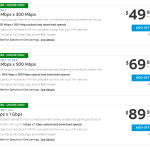
Wireless carrier T-Mobile is expanding their services to include Home Internet in some areas of Reno/Sparks. Assuming you are in their limited service area – should you switch?

Why you may want to switch

  • If you’re on a budget, at $50/month TMHI is less expensive than most AT&T and Spectrum internet plans.*
  • TMHI is available in some rural areas that are under-served by AT&T and Spectrum.
  • If you’re in an area served only by AT&T’s legacy DSL service with speeds less than 6 Mbps, and Charter/Spectrum is not an option.

* Low-income households may qualify for a discount of up to $30/month on internet service from many providers through the Affordable Connectivity Program.

Why you may NOT want to switch

  • Wireless service speeds are more variable and can be less reliable than other wired providers, particularly during peak times.
  • If you’re on a bundled package with AT&T, DirecTV or Spectrum and don’t want to change your TV and/or home phone service.

Internet speeds provided by local home internet providers

The chart below shows a comparison of the speeds provided by the major internet providers. Streaming video needs the most bandwidth (higher speeds), but that number only needs to be as high as 25 Mbps for streaming the highest-quality 4K Ultra HD content.

INTERNET PROVIDERTYPICAL INTERNET SPEEDS – Download Mbps / (Upload Mbps)
AT&T DSL<6 / (<1)
AT&T U-VerseUp to 100 / (Up to 20)
AT&T Fiber100-5000 / (100-5000)
Charter/Spectrum Cable300, 500, 1000 / (10, 20, 35)
T-Mobile 5G Home Internet33-182+ / (8-25+)

If you need help deciding which internet or other service provider is best for you, contact us.

Keep your smartphone safe

Today’s smartphones retain a lot of personal data that you likely wouldn’t want to get into the wrong hands. Below is a list of just some of the data that can be accessed if someone got into your smartphone:

  • Someone can receive one-time passwords via text message or authenticator app that can be used to reset account passwords
  • Impersonate you by being able to send and receive calls, email and text messages on your behalf
  • Impersonate you through any social networks apps that you use
  • Access any notes, passwords or private pictures you may have stored
  • Reset your phone and sell it

How you can protect your smartphone

The most important thing you should do is to protect your smartphone with a numeric passcode and/or biometric authentication (finger or facial recognition). 6-digits is better than 4-digits – but 4-digits is definitely better than no passcode. Also, set your smartphone to auto-lock and require the passcode after 5-minutes or less of inactivity (less time is better).

I am surprised by how many clients I’ve helped who had no passcode on their phone. Smartphones are easily lost or misplaced, and a passcode will help keep your data out of the wrong hands. Most people don’t keep their doors unlocked, so why keep their smartphone unlocked?

Other things to keep your smartphone safe include:

  • Only install apps from trusted developers with lots of favorable reviews
  • Treat every text message and email from unknown senders as suspicious – particularly if it’s asking you to do something. Most text messages from financial institutions come from a 5-or-6-digit “short code” – not a 10-digit phone number.
  • Connect your smartphone to Wi-Fi when at home, and make sure you keep the operating system (typically iOS or Android) up-to-date with the latest security patches.
  • You don’t need an antivirus or security app, nor a VPN. Protections are already built into the operating system of your mobile device, and apps are vetted before being made available in the app stores. However, be judicious about the apps that you install, because occasionally stuff gets by the reviewers.
  • Most importantly, password protect your device. You are more likely to lose or misplace your device than getting hacked from the outside.

Do you need help with your mobile device(s). Contact us to discuss your needs.

Is Zelle Safe? How To Protect Yourself When Using Payment Apps

Payment apps like Zelle and Venmo are a customer favorite because they are a convenient, fast, and easy way of electronically exchanging money between others. Zelle’s popularity and quick exchange of funds between one bank and another attracts more than just new customers. Unfortunately, it attracts hackers and scammers too.

With so many headlines about Zelle scams on the news lately, many users can’t help but wonder about the platform’s safety. Scammers target Zelle users and siphon off their hard-earned money through phishing scams. The truth is, Zelle is safe as long as you are careful, and you pay attention.

By the time you’re done reading this article, you’ll know more about Zelle and how you can safely use the platform without falling victim to scammers.

[Read more…]

Has Your Computer Been Hacked, or Is It Another Phishing Scam?

How many times has this happened to you? You’re on your computer reading, catching up with friends on Facebook, or searching the internet when a pop-up window shows up claiming that your browser has been hacked or blocked. 

If it’s your first time seeing such a message splash across your screen, you’ve been lucky until now. Every day millions of computer users all over the globe see such messages whenever they surf the internet. And no, it doesn’t mean that your browser has been compromised. It’s simply pop-up phishing designed to scare you into calling the number, which scammers use to target unsuspecting victims. 

What Is Pop-Up Phishing?

Pop-ups are generated by websites to offer users additional information or guidance (such as how to fill in a form, how to apply a discount code, etc.) 

With pop-up phishing, you get something malicious disguised as a scare message to get you to act. Pop-up phishing occurs when criminals hijack legitimate websites with malware code, causing the website to spring up these “your computer has been hacked” messages whenever a new user visits the website. 

Pop-up phishing is usually so effective because of the type of message that “pops up” and the content of the message. They typically provide a phony warning to an unsuspecting website visitor, claiming that the visitor’s computer security has been compromised. The visitor is then asked to either download a necessary tool to remedy the “security threat,” such as an antivirus program (often malware in disguise), or call a phone number for “help.”

[Read more…]

4 Dangerous Scam Text Messages You Should Delete Immediately

Email open rates typically range between 20 and 30 percent while SMS stands at a staggering 98 percent. 90 percent of texts are opened within three seconds of receipt. The average text is read within 90 seconds of receipt while that number is 90 minutes for email. This characteristically rapid response for text messages makes them a popular avenue for SMS scams and phishing – sometimes called “smishing”. Scams after all require that the target respond quickly before they have a change of heart or think their decision through. 

The average text is read within 90 seconds of receipt. That metric is 90 minutes for email.

The speed and regularity of reading and responding to texts is why you should delete scam texts immediately. If they lie around your inbox too long, you could unintentionally click on the fraudulent link at some future date. Scam SMS comes in diverse forms. Knowing SMS scammers’ modus operandi is critical to avoiding falling victim. Check out these types of texts you should get rid of without hesitation.

[Read more…]

How and Why to Use Browser Tabs

The internet is a huge part of our daily lives. Whether you’re communicating with family over Zoom, checking what your friends are up to on Facebook or buying your weekly groceries, you no doubt use an Internet browser most days of the week – either on your computer, tablet or smartphone

Internet browsers have a host of cool tricks and functions that make the browsing experience more pleasurable and straightforward. To make the most of these features, you need to understand what they are and how they work.

One such feature is the use of multiple browsing tabs. Tabs enable you to open multiple websites in one browser, without cluttering your desktop with too many browser pages. Being able to use tabs can enhance your browsing experience and make using the internet much easier. 

Every leading browser has options for tabbed browsing – even smartphones and tablets. 

Tabs are hugely popular – and have a great range of benefits. It’s estimated that the average person has between 2 -3 tabs open at any one point.

Of course, to take advantage of tabs, you need to know how to use them. So, below, we’ll dive into what browser tabs are, why you should use them and how to get started. 

What’s a Browser Tab?

With multiple browser tabs open, you can have multiple websites open at the same time within one browser. Each open website will appear as a “tab” at the top of your browser window. You can use your mouse, keyboard-shortcut or finger to switch between your open tabs/websites.

Why is Using Multiple Tabs Beneficial?

Have you ever signed into a website and then been asked to check your email for a verification code, which you’ll need to enter on that page.

In this instance, you may have wondered if there’s a way to check your email without losing the page you’re on. This is where browser tabs come in.

With multiple tabs, you can keep your current page while opening a new tab to check your email. 

Other use cases for browser tabs include: 

  • When you are writing an email and want to look up a synonym of a word
  • When you have two email accounts and want to switch between the two 
  • When you’re reviewing your stock portfolio and want to research information about a company without exiting your account 
  • When you’re researching airline flights and are comparing providers for the best deals 
  • When you’re multi-tasking – reading the news, ordering groceries etc. 
  • When you want to click a link on a page without losing the webpage you’re on
[Read more…]

How Can I Tell If My PC Might Be Infected with Malware?

Data theft, file loss/corruption, system disruption, email/SMS spam, unauthorized popup ads and remote control. When your PC is infected by malware, these are some of the major risks you could be exposed to. Prevention is the best-case scenario. But no antivirus can guarantee 100 percent protection from malware.

No antivirus can guarantee 100 percent protection from malware

You must brace for instances when malware does seep through any defenses you may have. It’s vital that you know the telltale signs of malware infection. Whereas malware is designed to be as unnoticeable to the end user as possible, it is after all an alien and unwelcome application. Most times, you can pick up warning signs that something feels off. Here are some of the major red flags.

[Read more…]