
One of the most dangerous scams making the rounds is an email that appears to come from someone you know—a neighbor, friend, or even a family member. The message might say something like “RSVP for the celebration (of life)” ,“Click here to view the invitation.”, “Check out this important document” or “Check out the pictures”.

If you click the link, it discreetly downloads a remote access tool onto your computer. Once installed, scammers can take control of your system, access your online accounts, steal data, or even lock you out completely. They wait for you to step away from your computer, or the middle of the night when you’re asleep. They go through your web browser, password manager and files. If they can access your financial institutions they may attempt to transfer money out. If they can access your Amazon or other online shopping accounts, they may try to purchase gift cards using your saved payment information. If they can access your email, they may intercept account sign in links and codes, make a copy of your address book, and use your email address and/or familiar name to send a similar “invitation” to your contacts in hopes to scam others.
If they can’t access certain accounts, that’s when their social engineering skills kick in. They already know who you do business with, and likely your email address, phone number and other information contained in the profiles of those accounts. Therefore they may call you impersonating the fraud department from that business, in attempt to get you to divulge missing pieces of information that allows them to complete a transfer of money, gift card or cryptocurrency purchase – such as your computer PIN/password, or a OTP (One-Time Password) sent to your cell phone.
Since the re-named file is a legitimate remote support tool often used by businesses, security software doesn’t detect it as malicious. But what scammers can do via remote access to your computer can be very dangerous and impact your finances and identity.
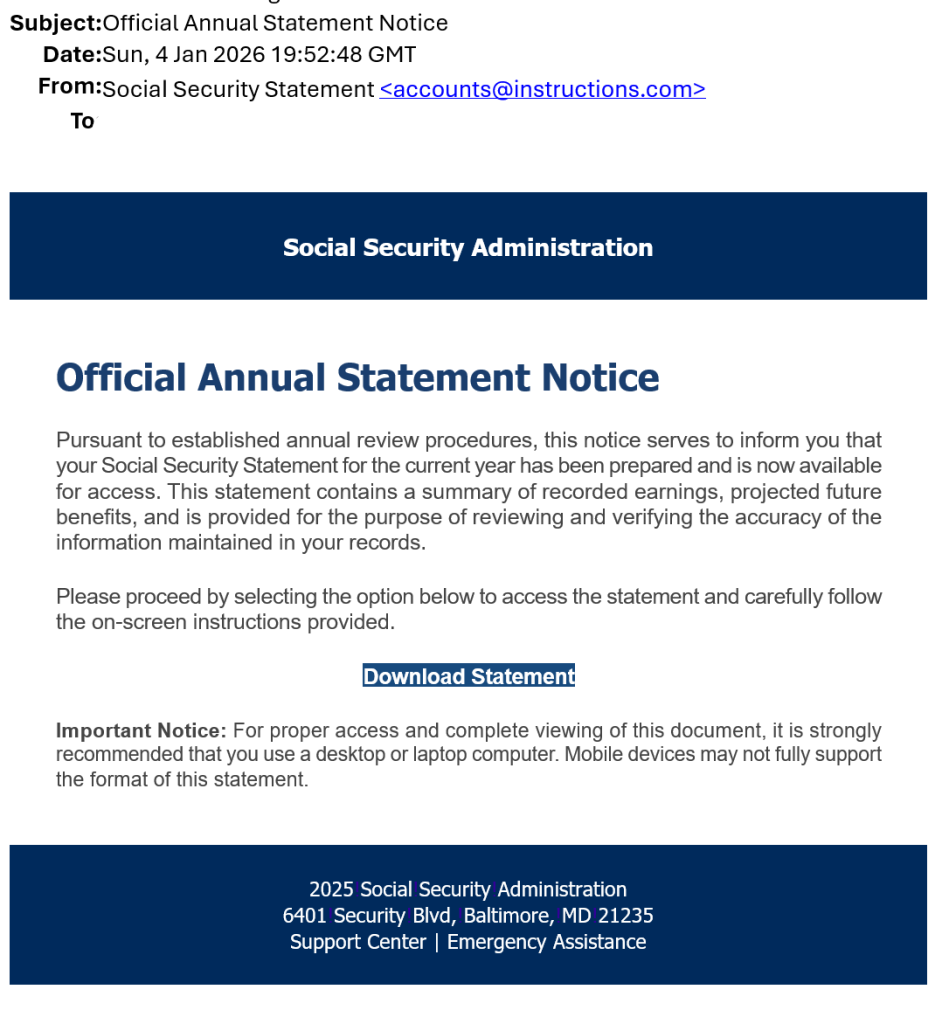
This same method of a disguised remote support tool has also been seen as a fake Social Security Statement, and will likely evolve into other methods of deceptive delivery.
How to protect yourself:
- Never click unexpected links, even if they appear to come from someone you trust.
- Never open unexpected email attachments or files ending with .exe or .msi
- If the email feels suspicious, call the person directly to confirm they really sent it.
- Make sure you have a PIN/password that’s required every time you access your computer.
- Make sure your web browser requests your PIN/password to show passwords and sign into websites.
- Consider signing out of financial, shopping and social media web sites after using them (Amazon and Facebook don’t time out unless you specifically “Sign out”).
- If you’ve linked your computer and smartphone to be able to view SMS/text messages on both devices – turn off that feature.
- Consider turning off your computer when not in use.
- Stay informed and learn how to spot scam and phishing email and text messages.
- Consider using a DNS provider such as NextDNS that blocks newly registered domains often used by scammers and phishing websites.
How to tell if you downloaded the remote access tool:
- Look for a recent file in your downloads folder with and .exe or .msi extension. The file name may be a clue – such as “RSVPInvite.msi” or “Social_Security_Statement.exe”
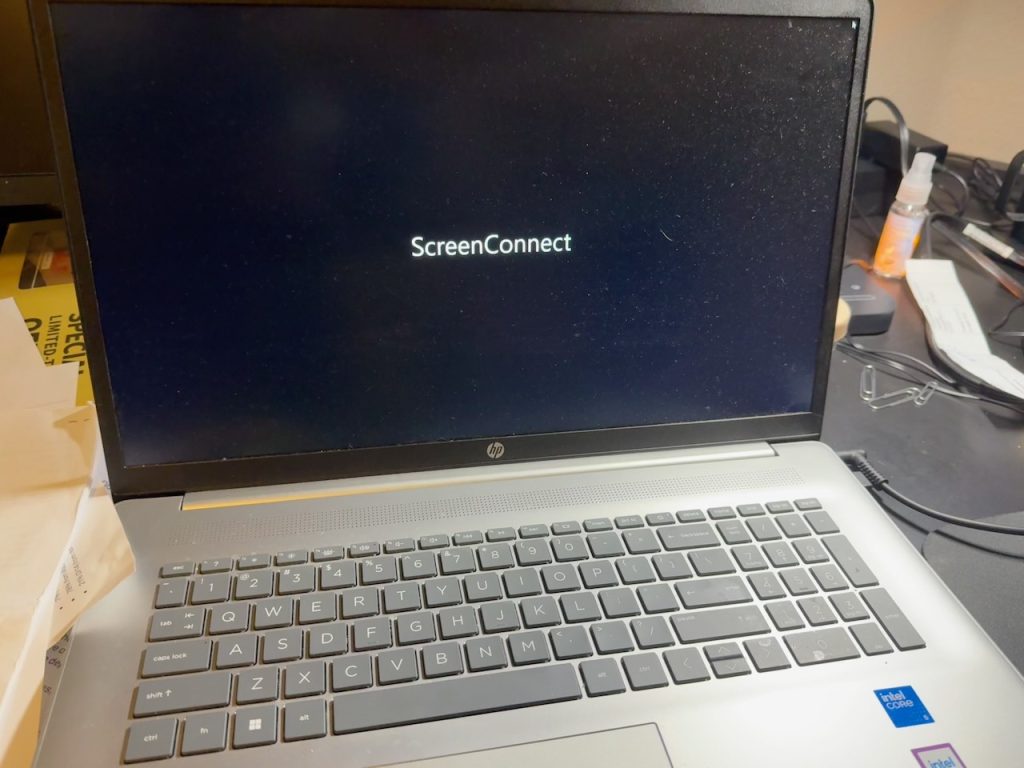
- Look for a recently installed app/program with names similar to “ScreenConnect”, “RemotePC”, “AteraAgent”, “Splashtop”, “Advanced Monitoring Agent”, “Endpoint Manager Communication Client”, and “PDQConnectAgent”. These are names we’ve seen in the past few months, and not a complete list.
Simply deleting the file in the downloads folder is not enough. Uninstalling the program may not be enough. Scammers often install other remote support tools after the first one is installed – and may install other malware.
If you’ve clicked a link in a similar email, immediately turn off your computer then contact Computer Techs or other trustworthy IT company that knows how to detect remote access tools. Remember, most security software will not detect this stealthy new threat because they are legitimate tools being used by bad actors.