Computer / Internet Tips & News – exclusively for Computer Techs clients
Support for Windows | macOS | iOS | Android
Welcome to the Computer Techs Computer / Internet Tips & News blog. This purpose of this site is meant to provide a service to our valued customers, by keeping you informed with the latest news and tips related to your computer and the internet. Consider using the search box on the left side of the website to help you find a specific topic or article, or scroll through articles below to learn something new.
Get $25 Off your next service call for recommending Computer Techs
If you’re happy with our service, please consider recommending Computer Techs to a friend or relative. If we service their computer, you get $25 Off your next service call.
The details: Please have your friend or relative mention your name during the appointment, or after the appointment contact Mark Cobb with the name of the person that you recommended/referred. The referred person must be a new Computer Techs customer and not reside in the same household as the referrer.
Since 2003 clients regularly ask us for a way to keep their computers secure and up-to-date, and not have to worry about the seemingly constant barrage of updates. With websites getting hacked on a daily basis, and the increasing chance of your personal information being lost or compromised, it’s more important than ever to keep your computer up-to-date and maintained.
With the Computer Techs Maintenance Plan, we will maintain, update and check the security on your computer on a convenient quarterly schedule. Service can be performed via a Remote Support session which takes about an hour. Services include:
Install security updates for browser add-ons, program updates, available router updates, critical computer firmware and Windows updates
Remove adware/toolbars/homepage hijackers
Remove or disable unused or unnecessary apps that cause security or performance issues
Check internet connection settings and remove any malicious scripts, DNS or proxy settings
Virus/malware/adware scan
Check hard drive health and used space
Check back-up and system restore settings
Defragment hard drive files
Check browser settings and remove unnecessary extensions and allowed notification pop-ups
Delete unnecessary temporary, log and update cache files to free up drive space
Check Wi-Fi settings and adjust if interference or performance issues exist
Check internet connection and speed tests
Apply computer manufacturer’s urgent and recommended software and hardware updates if needed
Check for print jobs stuck in the queue
Check for frequent app crashes or system “blue screen” errors that could lead to more serious problems
Additional benefits of being on our quarterly Computer Maintenance Plan include:
Priority callbacks and email replies with simple or easy-to-resolve issues or questions under 5 minutes at no charge.
VIP rates: Receive regular (non-maintenance) in-home service calls at the same price as our remote rates (Save $20/hr)
When you sign up for the Computer Techs Computer Maintenance Plan, you’ll get all of the services above for less than the price of a house call – quarterly remote service for one computer is just $80 payable at the time of each quarterly service. Additional computers maintained during the same appointment time are just $20 each. Semi-annual remote appointments are also available for $89 and $30 for additional computers. On-site service is also available at regular VIP hourly rates. To sign-up for your initial quarterly remote service, schedule your appointment – or contact us for semi-annual and/or on-site service.
In the past few months, AI (Artificial Intelligence) Chat has come to light as a new conversational way to search the internet. To compose the rest of this article I asked Google’s Bard chatbot and Microsoft’s Bing chatbot “What is AI Chat and how does it make searching the Internet better?”. Below are the responses I received.
According to Google’s Bard:
“AI chat is a new way to search the internet. It uses artificial intelligence to understand your questions and provide you with answers in a conversational way. This can be much more helpful than traditional search engines, which often return a list of links that you have to click through to find the information you’re looking for.
With AI chat, you can just ask your question and the AI will provide you with an answer, or a series of answers, in real time. This can be much faster and more efficient than traditional search engines.
AI chat can also be more helpful because it can understand your context. For example, if you ask “What is the best restaurant in San Francisco?”, the AI will take into account your location and other factors to provide you with a list of restaurants that are relevant to you.
Overall, AI chat is a new and innovative way to search the internet that can be much more helpful than traditional search engines. It is still in its early stages of development, but it has the potential to revolutionize the way we interact with the internet.
Here are some of the ways AI chat can make searching the internet better:
It can provide you with more accurate and relevant results.
It can save you time by helping you find the information you need faster.
It can be more user-friendly, as it allows you to interact with the search engine in a more natural way.
It can be more interactive, as it allows you to ask follow-up questions and get additional information.
It can be more personalized, as it can tailor the results to your specific needs and interests.
Overall, AI chat has the potential to revolutionize the way we search the internet. It can provide us with more accurate, relevant, and timely results, and it can do so in a more user-friendly and interactive way.”
According to Microsoft’s Bing “Ask me anything…”
“AI Chat refers to a program that simulates human conversations using natural language processing (NLP) ³. Chatbots are programmed to address users’ needs independently of a human operator ³. AI Chat can improve searching the internet by providing more accurate and relevant results ¹. However, conversational AI is far from applicable to every kind of search ¹. Bing has integrated an AI language model into its search engine which is more powerful than ChatGPT ² and can understand context and reply back in a humane way ⁴.
I hope this helps!
Source: Conversation with Bing, 4/6/2023(1) 18 of the Best AI Chatbots for 2023 – HubSpot. https://blog.hubspot.com/marketing/best-ai-chatbot Accessed 4/6/2023. (2) I used the future of AI web search – Digital Trends. https://www.digitaltrends.com/computing/ai-search-microsoft-openai-chatgpt-novelty-to-normal/ Accessed 4/6/2023. (3) ChatGPT versus AI-enabled Bing. How do they differ?. https://www.weforum.org/agenda/2023/02/ai-chatgpt-openai-bing-search/ Accessed 4/6/2023. (4) 10 Things New AI Bing Chat Can Do Better Than ChatGPT. https://techwiser.com/things-new-ai-bing-chat-can-do-better-than-chatgpt/ Accessed 4/6/2023. (5) What is ChatGPT and why does it matter? Here’s what you need to know. https://www.zdnet.com/article/what-is-chatgpt-and-why-does-it-matter-heres-everything-you-need-to-know/ Accessed 4/6/2023. (6) The best AI chatbots of 2023: ChatGPT and alternatives | ZDNET. https://www.zdnet.com/article/best-ai-chatbot/ Accessed 4/6/2023.”
I followed up by clicking “examples of AI Chat”
“There are many examples of AI Chatbots available today. Some of them include Zoho SalesIQ, Tidio Chat, Landbot, ChatBot, Manychat, FreshChat, Tars ¹. Other examples include Apple’s Siri, Google Assistant, Microsoft’s Cortana, Amazon Echo, and Facebook Messenger ². Automat.ai is another example of a conversational AI software with exceptional listening skills that “understands every customer” and has a built-in product recommendation engine that serves up personalized suggestions and engages customers to provide superior shopping experiences ³.
I hope this helps!
Source: Conversation with Bing, 4/6/2023(1) 15 Best AI Chatbots (2023 Update) – Guru99. https://www.guru99.com/best-ai-chatbots.html Accessed 4/6/2023. (2) What is AI Chatbot & How do AI Chatbots Work? The Complete Guide. https://www.heliossolutions.co/blog/what-is-ai-chatbot-how-do-ai-chatbots-work-the-complete-guide/ Accessed 4/6/2023. (3) Conversational AI Examples + Uses and Insights. https://getvoip.com/blog/conversational-ai-examples/ Accessed 4/6/2023. (4) Why We’re Obsessed With the Mind-Blowing ChatGPT AI Chatbot. https://www.cnet.com/tech/computing/why-were-all-obsessed-with-the-mind-blowing-chatgpt-ai-chatbot/ Accessed 4/6/2023. (5) The best AI chatbots of 2023: ChatGPT and alternatives | ZDNET. https://www.zdnet.com/article/best-ai-chatbot/ Accessed 4/6/2023. (6) ChatGPT: How to Use the AI Chatbot for Free – How-To Geek. https://www.howtogeek.com/871065/chatgpt-how-to-use-the-ai-chatbot-for-free/ Accessed 4/6/2023.”
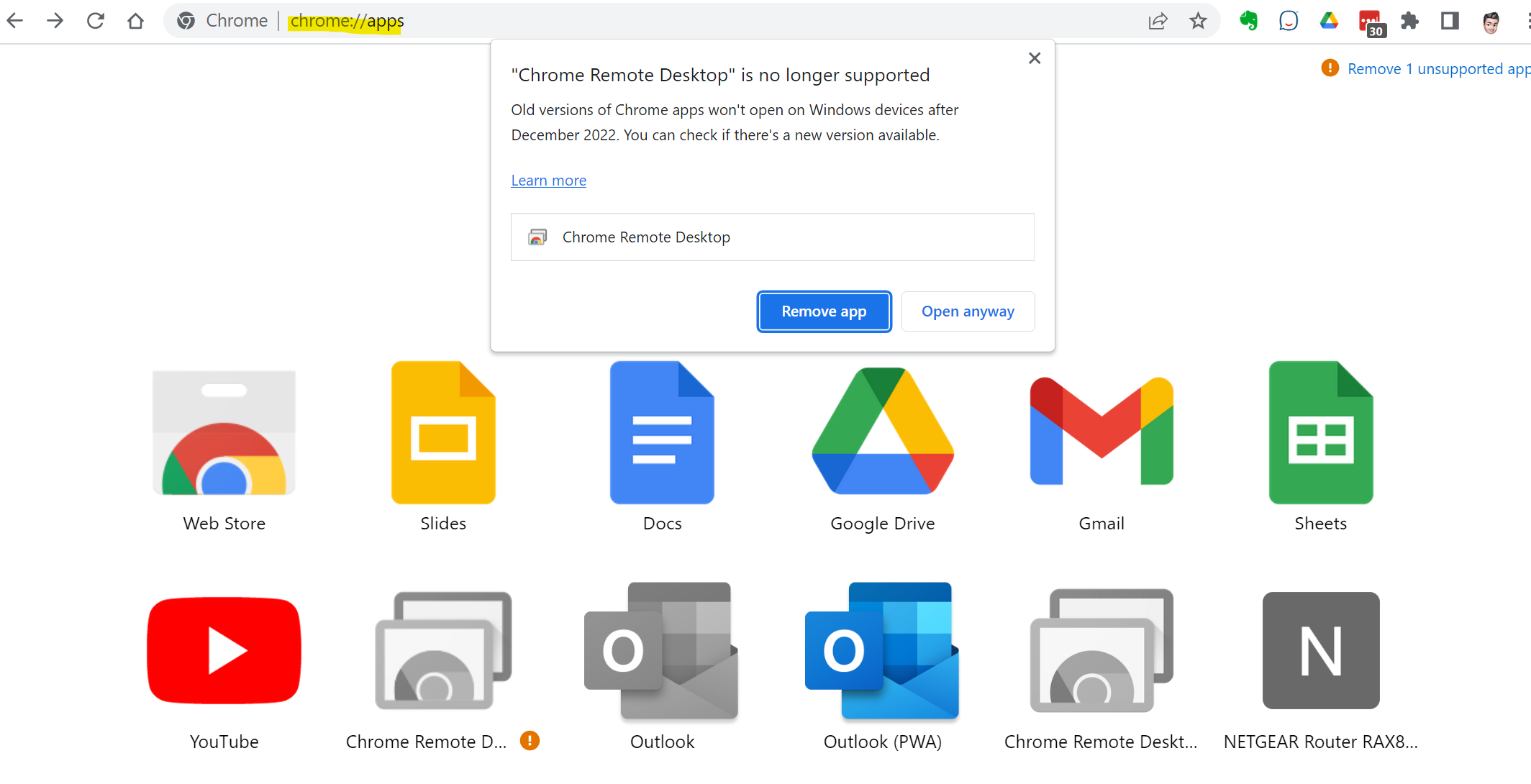
Chrome browser users that use desktop shortcuts to websites or web apps have been recently seeing the message that Chrome Apps are no longer supported. But don’t worry, you can re-create your desktop shortcuts to websites by following the instructions below.
Replace a Chrome app with a website shortcut by following these steps:
1. Make a note of the website address (www.example.com) of Chrome app you want to replace.
2. When prompted to “remove app”, right-click on the Chrome app you want to replace and select “Remove from Chrome”.
3. Go to the website address you want to create a shortcut for – type (www.example.com) or search Google for the site and go to the address.
4. Once you are at the website address, click on the three dots in the top right corner of the Chrome window and select “More tools” and then “Create shortcut”.
5. In the pop-up window, enter a name for the shortcut. You can optionally check the box next to “Open as window”, which will open your new desktop shortcut in Chrome without the Chrome menus or bookmarks toolbar displayed.
6. Click on “Create” to create the shortcut.
You should now see a shortcut on your desktop that will open the website in a separate Chrome browser window, just like a Chrome app did.
Now that the wireless carriers are offering Fixed Wireless Access (FWA) Internet service in many areas, there’s more choices for internet speeds and service levels.
You may be able to downgrade the speed provided by your current Internet provider to save money with little or no noticeable difference.
Consider bundling home Internet and wireless service to save money.
Internet service is sold and priced at the speed of the internet connection you can expect at your Internet Service Provider’s (ISP) modem/gateway.
As of July 2022 in Reno, Charter’s Spectrum service offers download speeds of 300 Megabits per second (Mbps), 500 Mbps and 1000 Mbps (1 Gbps or often referred 1 Gig). AT&T’s xDSL Internet service offers slower download speeds ranging from less than 1 Mbps to 100 Mbps, and speeds up to 5000 Mbps (5 Gbps) on their fiber-to-the-home service.
In July 2022, T-Mobile began offering wireless home internet service – Fixed Wireless Access (FWA) -with download speeds advertised at 33-182 Mbps – which is fast enough to stream UHD/4K video quality. By late 2023 Verizon and AT&T are expected to offer FWA in the Reno area with download speeds varying from 25-300 Mbps.
FWA is cheaper, but less reliable
Thought FWA is often cheaper, unlike xDSL, Cable or Fiber Internet, FWA can be less reliable since the service is shared with hundreds or thousands of other users in your area using the same cell tower/node. Therefore speeds during peak times can become congested, or during an extended power outage you could temporarily lose service altogether. Before considering FWA, check out “5G” Home Internet vs. Spectrum Internet.
You could possibly save money by choosing a slower Internet speed plan
Of course, higher speeds will cost more money. Count on spending at least $50/month for reliable internet service, but anything above $85/month is probably unnecessary.
When I started Computer Techs in 2003, the most common danger on the computer was the virus. The computer virus was often spread through email attachments. Fast forward 20 years, now the most common danger is social engineering scams. And what was once just random guesses of people’s email addresses, now scammers also use phone numbers to call or send messages to contact their potential victims.
These days scammers and hackers have a lot more information about you due to website data breaches and the treasure trove of information that has been exposed about you – such as your name, email/physical address, phone number – and sometimes passwords. They often use that information to send emails, text messages or phone calls to persuade you to that there’s a problem that needs immediate attention. Examples of what they want you to do include:
Click a link or open an email attachment. Links often lead to look-alike websites in which you are asked to provide personal information – such as username and password – or even financial information
Call a number provided in the email or message so that you can dispute a (false) charge or purchase that was made
Request remote access to your computer or smartphone to fix or help with an account problem
When you receive such messages or calls – do not act immediately, it’s likely a scam. Instead read the following information to help you determine the authenticity of what you just received.
Google recently sent an email to Google account holders with a reminder that “You have Web & App Activity turned on”. Even though this setting may have been turned on by default for many years, Google is being more transparent about the data they have about the things you do on Google sites, apps and service. The timeliness of the recent email was likely sent to appease government regulators.
In the email, Google states that “Web & App Activity is a setting that lets you save to your Google Account the things you do on Google sites, apps, and services, including your searches and associated information, like location and language. It can also give you more personalized experiences across Google, like faster searches and better recommendations.”
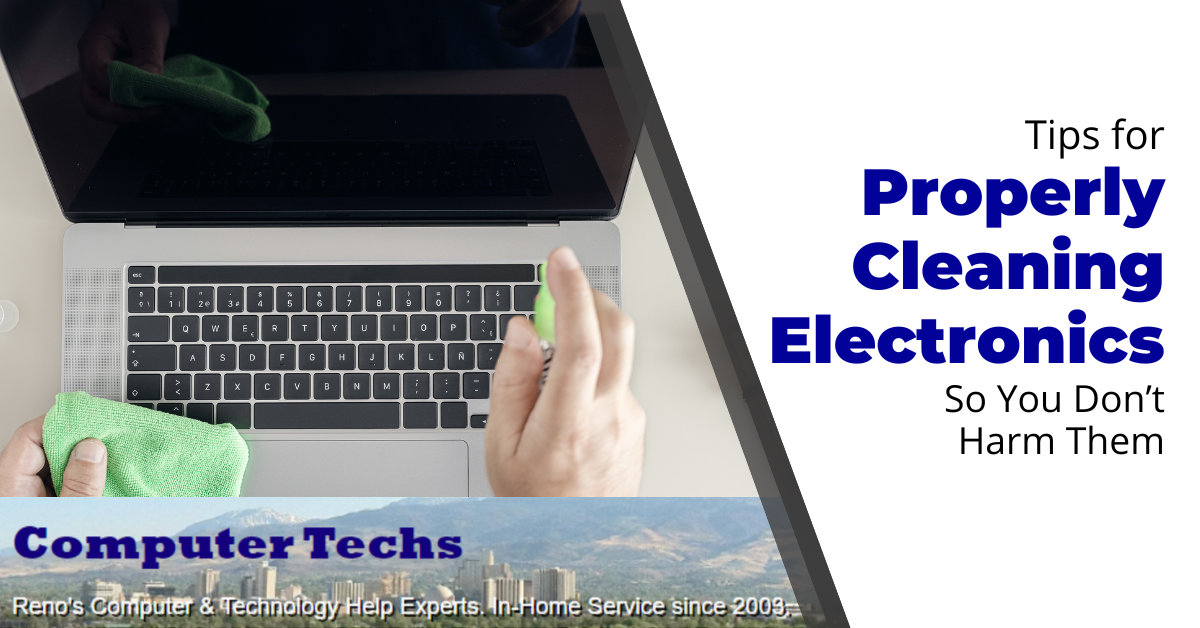
No matter what type of electronic device you own, proper cleaning and maintenance are essential for keeping them running efficiently and smoothly. This ensures that your device continues to serve its purpose for many years to come. However, it’s important to be aware of how to clean electronics properly to not cause any damage to them in the process.
It’s easy to overlook the importance of cleaning electronic devices, especially if you’re not aware of the dangers of improper cleaning. Not only can incorrect cleaning methods destroy the device itself, but in some cases, they might also cause harm to the user. This is why it’s essential to know which cleaning methods are appropriate for each
The following tips will guide you in properly cleaning and maintaining your electronics so you don’t end up doing more harm than good:
Always Unplug Devices
While there are some exceptions such as keyboards and other peripherals, it is safest to power down and unplug all electronic devices before you begin cleaning them. This eliminates the potential risk of electric shock and other hazards associated with having the device on and powered while attempting to clean. If you’re not using liquids, like water or wet cleaning wipes, you might not need to unplug your device, but it’s still a good safety precaution.
Use Appropriate Cleaning Materials
It is important to choose the right cleaning materials for each device to not damage them. For example, if you have a laptop or a phone, it’s best to use a lightly damp microfiber cloth or a screen-specific cleaning product. For other devices, like a gaming device or computer monitor, you can use either a microfiber cloth or compressed air.
It’s worth noting that it’s rarely a good idea to use harsh chemicals such as bleach or other harsh cleaning products to clean electronic devices. These chemicals can be too abrasive and cause irreparable damage to the device.
Avoid Excess Moisture
Moisture and electronics don’t mix, so you should always avoid using too much liquid when cleaning an electronic device. It’s best to use the least amount of moisture you can and make sure it’s evenly distributed. Never submerge an electronic device in liquid, and don’t spray any liquid directly onto the device.
When using cleaning cloths or wipes, make sure they are only slightly damp and not dripping with water. You should also avoid using abrasive paper towels or other rough materials, which can damage the device’s surface.
Make Sure Areas are Completely Dry Before Connecting
Once you’re finished cleaning, make sure everything is completely dry before plugging any device back in or connecting it to a power source. This includes checking the plug and ports for any remaining traces of liquid or dampness before plugging them in. Usually, this shouldn’t pose an issue, unless you accidentally spilled a liquid on the device while cleaning or used too much cleaning solution.
Clean Similar Items at the Same Time
If you have multiple electronic items that require cleaning, it’s best to clean them all at the same time. This can help save you time and make sure all the items get the same level of care and attention. It’s especially important to do this with items that are stored near each other, as it will reduce the spread of any dust or other particles.
Use Gloves
No matter what type of electronic devices you’re cleaning, if you’re cleaning many it’s a good idea to wear gloves. Not only do gloves protect your hands from any cleaning agents or sharp edges ( such as from inside a computer case), but some tech-specific gloves (or bands) can also help prevent accidental electrostatic discharges that can damage sensitive components.
Maintain A Regular Cleaning Schedule
Finally, it’s important to keep up with regular cleaning and maintenance of your electronics to keep them running properly. Dust and grime can build up over time, so it’s best to keep an eye on the state of your devices and follow the above steps whenever necessary.
Cleaning electronics is an important part of maintaining them long term so they’re always able to keep functioning as intended. However, it’s important to make sure that you’re cleaning them properly, to avoid any potential damage.
By following these tips and utilizing the right tools, you can ensure that you’re cleaning your electronics safely and efficiently.
If you have any other questions orneed helpwith your tech cleaning don’t hesitate tocontact us!
Online banking is one of the most convenient services available and offers individuals, businesses, and organizations a way to quickly and easily manage their finances. Unfortunately, online banking is also vulnerable to all of the same security risks that stem from the virtual nature of the internet. It’s important to take steps to ensure that your hard earned money is secure from theft and fraud.
You wouldn’t want to suddenly realize that your bank account has been drained of your hard-earned cash!
Let’s take a look at a dozen ways to keep your money safe while banking online.
The holidays are a busy time for online shoppers. According to a recent study, over 60% of consumers said they would do some or all of their holiday shopping online this year. That’s a lot of people clicking away on their keyboards and smartphones, looking for the best deals on gifts.
With all of this online activity, it’s important to remember to stay safe. Here are 10 tips to help you do just that:
Adopt Strong Password Security Practices
One of the easiest ways to protect your online accounts is to use strong, unique passwords for each one. That way, even if a hacker does manage to get one of your passwords, they won’t be able to access your other accounts.
It can be tough to remember a bunch of different passwords, so you might want to consider using a password manager. This will allow you to create strong, random passwords for all of your accounts and only have to remember one master password.
Avoid Clicking On Links In Emails From People You Don’t Know
Phishing emails are a common way for hackers to try to get your personal information. They’ll send you an email that looks like it’s from a legitimate company, but the link in the email will actually take you to a fake website. Once you’re on the fake website, they may try to get you to enter your personal information or login credentials.
If you get an email from a company you do business with, don’t click on any links in the email. Instead, go to the company’s website directly and see if there is any information about the email. Or, give them a call from a number obtained on their website to confirm that the email is legitimate.
Use A Credit Card Instead Of A Debit Card
When you’re making online purchases, it’s best to use a credit card instead of a debit card. This is because credit cards have better built-in fraud protection. If someone hacked your credit card information and made unauthorized charges, you would not be responsible for those charges.
With a debit card, on the other hand, the money is taken directly out of your bank account. So, if someone did make unauthorized charges, you’d have a much harder time disputing the charges.
Don’t Click On Suspicious Links
If you receive a holiday promo in your email from a store you’ve never shopped at before, be wary. It could be a phishing attempt to get your personal information. The same goes for links posted on social media. If it looks too good to be true, it probably is.
If you’re not sure whether a link is safe, you can always hover over it to see where it’s going to take you. If the URL looks suspicious or doesn’t match the store’s website, don’t click on it.
Only Shop Reputable Brand Websites
When you’re looking for holiday deals, it can be tempting to go to less well-known websites that seemingly offer great prices. But, these websites might not be legitimate. They might sell counterfeit goods or they might not even ship the items you ordered.
To avoid getting scammed, only shop at websites for stores that you know and trust. And, if you’ve never heard of the website before, do some research to make sure it’s legit.
Keep Records Of Your Shopping Transactions
After you’ve made an online purchase, make sure to keep a record of the transaction. This can help you keep track of your spending and also act as proof of purchase if there are any problems with the order. If your credit card information is stolen, you can also use these records to dispute any fraudulent charges.
Maintain Good Security Habits
In addition to following the tips above, it’s also important to maintain good security habits in general. This includes keeping your computer and other devices up-to-date with the latest security patches. It also means being cautious about the websites you visit and the email attachments you open.
The Federal Communications Commission (FCC) has released a new broadband map where broadband Internet availability can be searched by address. Information for the map is reported by the service providers, and challenged if incorrect.
The FCC considers broadband as speeds at a minimum of 25 megabits per second (Mbps) download and 3 Mbps upload. Some providers listed on the map fail to meet the minimum speeds defined.
The map not only displays traditional fixed/wired providers such as cable and DSL, it also shows newer technologies such as fixed wireless access (FWA) and fiber providers. Availability from mobile 4G and 5G providers is also included on the map.
The map can be useful if you are shopping for internet access at an address that you are considering a move to, or if you are considering switching providers at your current address. You can view and search the map at https://broadbandmap.fcc.gov/


 Print This Article