Welcome to the Computer Techs Computer / Internet Tips & News blog. This purpose of this site is meant to provide a service to our valued customers, by keeping you informed with the latest news and tips related to your computer and the internet. Consider using the search box on the left side of the website to help you find a specific topic or article, or scroll through articles below to learn something new.
Get $25 Off your next service call for recommending Computer Techs
If you’re happy with our service, please consider recommending Computer Techs to a friend or relative. If we service their computer, you get $25 Off your next service call.
The details: Please have your friend or relative mention your name during the appointment, or after the appointment contact Mark Cobb with the name of the person that you recommended/referred. The referred person must be a new Computer Techs customer and not reside in the same household as the referrer.
AT&T recently released notice of rate increases for their High Speed Internet service by about $5/month. Exact changes for customer’s price plan will be noted on their phone bill under “Price Change Notice”. People that subscribed to the $10/month plan that includes a 12-month commitment, and the $34.99/month Elite plan will not see a price increase at this time.
AT&T High Speed Internet is still about half the price of Charter High Speed Internet which starts at $54.99/month after a 6-month introductory rate.
This is the first price increase for AT&T High Speed Internet as I recall in the 7 years I’ve had service with them.
Printer ink is expensive and doesn’t seem to last long. Here’s a tip on how to use less ink and save money by changing your default printer settings.
In Control Panel > Printers and Faxes – right-click on your printer(s) that you wish to save ink and select “Printing Preferences…” (see below)

To save ink you’ll want to change the Print Quality to “Fast” or “Draft” mode (more…)
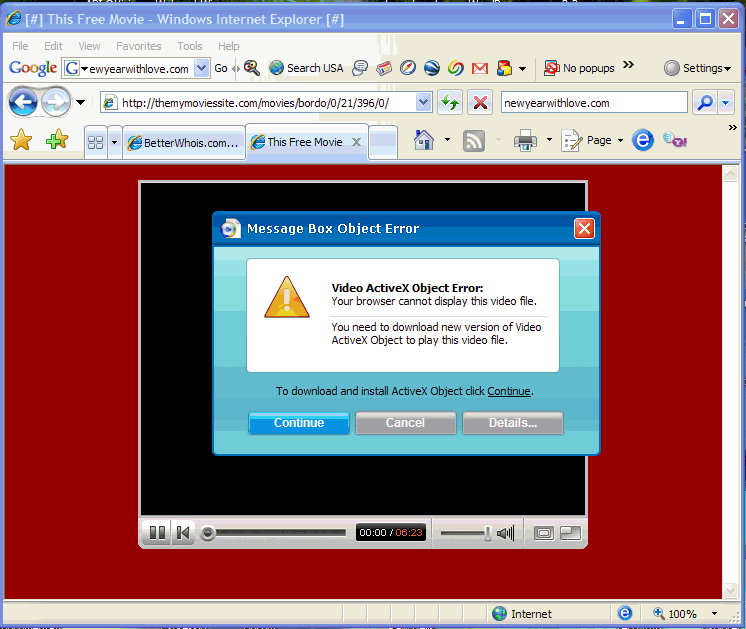
The popularity of the video sharing website YouTube.com has prompted scammers to register website domains with letters similar to y-o-u-t-u-b-e in hopes that people will mis-type or not notice that a link on a web page or e-mail is not pointing to the real website.
I’ve seen dozens of computers infected with spyware and viruses after the owner went to a fake YouTube website and was prompted to install “Video ActiveX Control” in order to view the video. See the screenshot below of an example of downloads you should avoid. The real YouTube uses Adobe Flash Video Player, something that is already installed on most computers. You can check to make sure you have the latest Flash Video Player – currently at version 9,0,115,0 – on this Adobe web site.
Remember to follow safe browsing habits and do not download anything from websites you do not know or trust, and to look carefully at the website address.
In March I suggested picture sharing tips which included my once-recommended Yahoo Photos. A few months ago Yahoo Photos was discontinued and accounts and pictures were transferred to Flickr – a company which Yahoo purchased a few years ago. While Flickr has some nice features, I think it’s somewhat complicated.
 I now recommend a free photo management software program from Google. Google’s Picasa can take the place of photo management software that comes with digital cameras and printers, allowing you to transfer pictures from your camera or card reader into custom-named folders on your computer. I now recommend a free photo management software program from Google. Google’s Picasa can take the place of photo management software that comes with digital cameras and printers, allowing you to transfer pictures from your camera or card reader into custom-named folders on your computer.
Picasa also allows you to view all the pictures on your computer on one screen without having to click in and out of folders to find and view pictures. The software also offers some basic photo manipulation tools such as cropping photos, adjusting brightness, removing red-eye and various print-size options. The program will also down-size pictures for emailing or for uploading to a personal Picasa Web Albums website which offers 1GB of free storage – enough for approx. 2000 photos. More storage space is available for purchase from Google. You can view all of the Picasa features on their website.
Picasa is also available as part of Google Pack – trustworthy free software selected by Google, though I don’t recommend installing all of the free security software. For more information about Google Pack, click on the “Google Pack” box located near the bottom left corner of this web page.
If you’d like to learn more about Picasa or schedule personalized tutoring on any of the Google Pack programs and their features, please contact Computer Techs.
Your computer’s hard drive stores all of your programs and all of the files, documents and pictures you’ve saved to it. It’s not a matter of ‘if’ your hard drive will fail, but ‘when’ will it fail? A hard drive is similar to a car engine in that it starts and stops, heats and cools, and spins at thousands of revolutions-per-minute for years on end. Eventually it will fail.
If you remember and have the time you can burn a CD/DVD of your data periodically, or you can use new online storage which makes backup easy, automatic, secure and fire-proof.
I use and recommend a service from Mozy.com that automatically backs up my data every day. My data is encrypted, sent over the internet, and stored on redundant hard drives in a fire-safe, earthquake proof data center located in Utah. They offer 2GB Totally Free Online Backup! Compliments of Mozy – or you can get unlimited storage for only $4.95/month.
If you use an e-mail program such as Outlook/Outlook Express, Windows Mail/Live Mail or Thunderbird, while traveling away from home you can access your e-mail from a computer at a relative’s house or hotel via webmail.
For AT&T Yahoo email, you can open the computer’s web browser and type mail.yahoo.com in the address bar. When prompted to login, use your full e-mail address (for example username@sbcglobal.net) and your password.
For Charter/Spectrum email, use webmail.spectrum.net
AOL users can access email via webmail.aol.com
 Print This Article Print This Article
If you’re still using dial-up internet service or paying for more expensive service with Charter, you may want to consider switching to AT&T high-speed internet which is as low as $10/month for new high-speed internet customers. Download speeds for the $10/month package are up to 768 Kbps, which is adequate for most casual web surfing and e-mail, and much faster than the average 40 Kbps speed offered with dial-up service.
The $10/month price and free high-speed modem after rebate is only available when the service is ordered through a special web link, and is not available if the service is ordered from AT&T over the phone.
Give us a call for details. We’d be happy to give you all the specific information on their offer, and we can even order the service for you and set it up in about 1 hour.
There are thousands of web sites on the internet that claim that their registry cleaner or anti-virus/anti-spyware program will solve your computer problems. Many of these programs are “snake oil” or scams that often install additional unwanted spyware or trojan viruses and cause other problems to your computer. SpywareWarrior.com has compiled a comprehensive list of some of the fake programs. Many of the programs give false warnings of problems with your computer and entice you to scan your computer for “free”. After the scan the programs often present a detailed list of more problems and offer to fix the problems for “only $39”.
In summary, these programs are scams – and there were likely no problems with your computer before you came across the website that produced the pop-up advertisement. I first documented this problem in March 2006.
Below are examples of an indication that you may already have installed one of the scams…

The official-looking alert below is shown in the taskbar notification area, and is an indication that one of the fake programs has already been installed on your computer.

If you see notices similar to the examples above, I recommend contacting Computer Techs to have us remove all traces of the fake program, and any additional spyware that they usually install. While some anti-spyware or anti-virus programs may detect the fake programs, many will not remove all of the remnants that the programs leave behind. We’ll also provide you with education on how to avoid installing these programs in the first place.
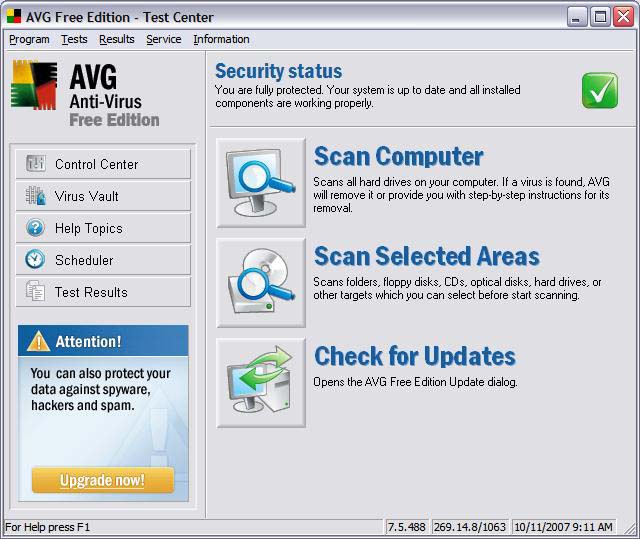
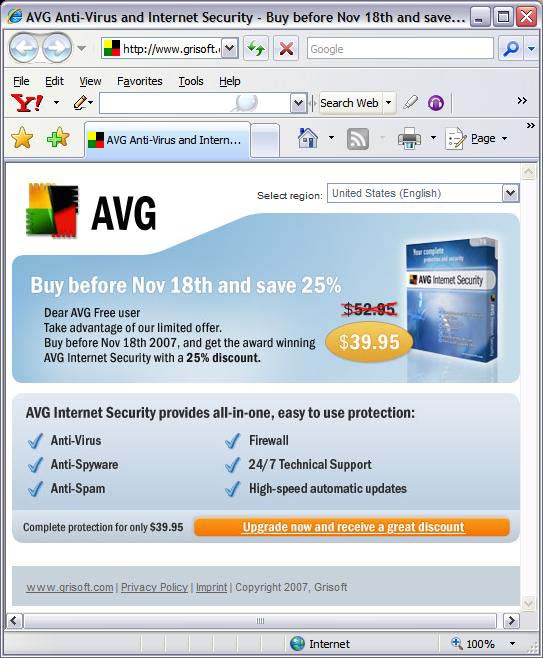
AVG Anti-Virus Free Edition has recently been aggressively promoting an upgrade to their not-free Internet Security software. In my opinion, this is an upgrade which most people don’t need.
The upgraded software adds Anti-Spyware, Anti-Spam and Firewall protection – most of which is redundant protection that most users already have. While their Anti-Spyware product is good, it is also available as a free separate download. Most email providers offer spam protection/filtering, and AVG’s Anti-Spam product only works in an e-mail client such as Outlook Express. Windows XP and Windows Vista already have an inbound firewall, and hardware routers offer inbound firewall protection. AVG’s outbound firewall is similar to other outbound firewalls that pop-up sometimes confusing questions when it detects outbound internet access.
In summary, I don’t recommend upgrading to their Internet Security product.
In my previous tips about sorting and selecting items from a list, it’s often easier to find things by showing file “Details” or “Thumbnails” by using the “Views” menu.
The Views menu is sometimes only accessible via an icon, as shown above “Views” in the example below…

In the example above I have selected the Thumbnails view, so that I could see and select multiple pictures. Below the same files are selected with the Details view and sorted by name.
(more…)
« Previous Page — Next Page »
|


