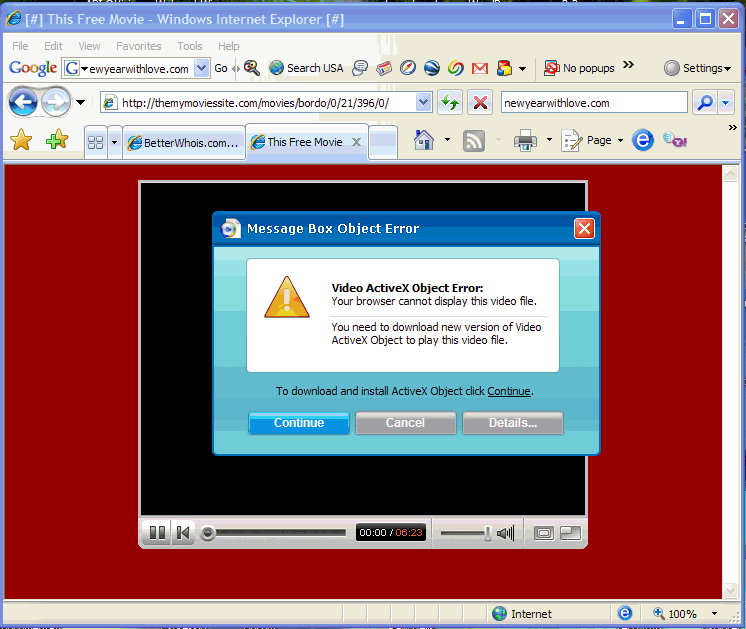
Fake YouTube web sites prompt to download video player virus
The popularity of the video sharing website YouTube.com has prompted scammers to register website domains with letters similar to y-o-u-t-u-b-e in hopes that people will mis-type or not notice that a link on a web page or e-mail is not pointing to the real website.
I’ve seen dozens of computers infected with spyware and viruses after the owner went to a fake YouTube website and was prompted to install “Video ActiveX Control” in order to view the video. See the screenshot below of an example of downloads you should avoid. The real YouTube uses Adobe Flash Video Player, something that is already installed on most computers. You can check to make sure you have the latest Flash Video Player – currently at version 9,0,115,0 – on this Adobe web site.
Remember to follow safe browsing habits and do not download anything from websites you do not know or trust, and to look carefully at the website address.