Category: Archived
UPDATE: DUE TO INSTALLATION ISSUES WITH WINDOWS XP SERVICE PACK 3 ON HP/COMPAQ COMPUTERS WITH AMD PROCESSORS – I DO NOT RECOMMEND MANUALLY INSTALLING IT AT THIS TIME. AT SOME POINT IT WILL LIKELY AUTOMATICALLY INSTALL AS PART OF OTHER WINDOWS CRITICAL UPDATES, AFTER A PATCH HAS BEEN APPLIED.
May 7 – In the past week Microsoft has released Service Pack 3 for Windows XP which is primarily a cumulative update of security and reliability patches that have been released since Service Pack 2 was released in August 2004. Service Pack 3 is currently available as a manual installation from Microsoft’s windowsupdate.com website, or it may have already been downloaded onto your computer which can be manually installed by clicking on the yellow shield and exclamation point icon which is in the system tray by your clock in the lower-right corner of your screen. If you hover your mouse over the yellow shield, a balloon pop-up will say “Updates are ready for your computer.”
Installation typically takes under 30 minutes. If you decide to put off installing Service Pack 3 manually, it will likely be automatically installed within the next few months. At this time I suggest most users wait until it is automatically installed.
Below is a description of Service Pack 3 from Microsoft…
Windows XP SP3 combines all previously released performance, security, and stability updates. It also provides a limited number of new and enhanced functionalities, although it does not significantly change the Windows XP experience or bring functionality from newer versions of Windows to Windows XP. The goals of Windows XP SP3 are to:
• Provide a new baseline for customers still deploying Windows XP, to help them avoid the inconvenience of applying individual updates.
• Fill gaps in the updates users might have missed by declining individual updates when using Automatic Updates, and to deliver updates not made available through Windows Update.
Windows Vista provides the most advanced security and management capability, but for PCs that cannot be upgraded to Windows Vista right now, Windows XP SP3 ensures these PCs have all available updates and allows these PCs to leverage some new Windows Server 2008 capabilities, such as Network Access Protection (NAP).
If you’re interested in a more detailed description about the changes in Service Pack 3 you can read Microsoft’s PDF file Overview of Windows XP Service Pack 3.
AVG Free 8.0 is now available, and you may have already received a notice that updates for AVG Free 7.5 will not be available after specified dates.
In AVG/Grisoft’s usual manner to stimulate sales of their not-free products, they are highly suggesting that people upgrade to their 8.0 full-featured paid product rather than their 8.0 Free version. As in the past I still only recommend their free product since security “suites” which include firewalls and other features are redundant and can significantly slow down your computer.
If you are still using an old computer with Windows 98 or Windows ME, Grisoft has followed many other security software developers by not supporting the older operating systems in their latest AVG 8.0. If you’ve been putting off buying a new computer, now is a logical time to make the switch into the new century.
There are a few ways you can download and install AVG Free 8.0:
METHOD 1. If you see a window as show below on your computer…
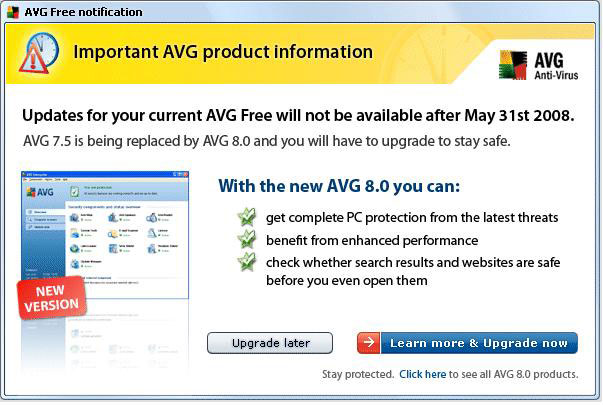
… To upgrade to the new FREE version, click the smaller “Click here” link at the bottom of that window which will take you to this web page as shown below…
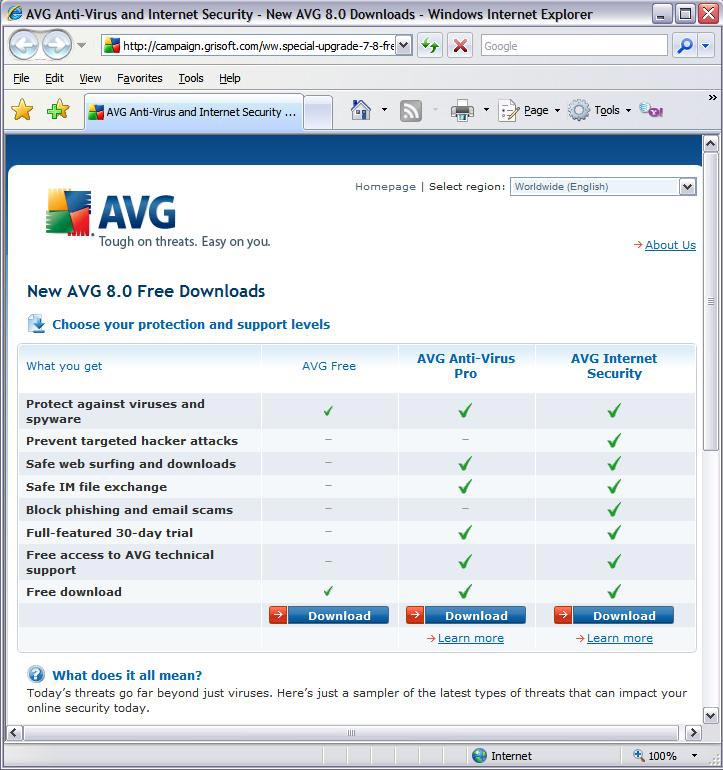
… Click on the “Download” button below AVG Free and follow the prompts to download. When prompted, save the file to your desktop (XP), Downloads folder (Vista) or another folder where you can find the file after you’ve download it. After the file has completed downloading, double-click the file on your computer “avg_free_stf_en_8_###a####.exe” to run the program which will uninstall your previous version of AVG and install the new version.
METHOD 2. I have also setup a direct link to the Free version download page at CTreno.com/avg Follow the download and install instructions listed above.
METHOD 3. I have put the installation file on the Computer Techs website. Click http://computertechsreno.com/files/avg_free_stf_en_8_176a1400.exe and follow the save and installation instructions described in Method 1.
During installation there will be a screen which asks if you want to install the AVG Security Toolbar – I recommend unchecking that box. If you leave it checked and later decide you don’t want the extra Internet Explorer toolbar to appear, you can right-click on a blank area of the Internet Explorer toolbars area, then left-click on “AVG Security Toolbar” to remove the checkmark and the toolbar.
 Print This Article Print This Article
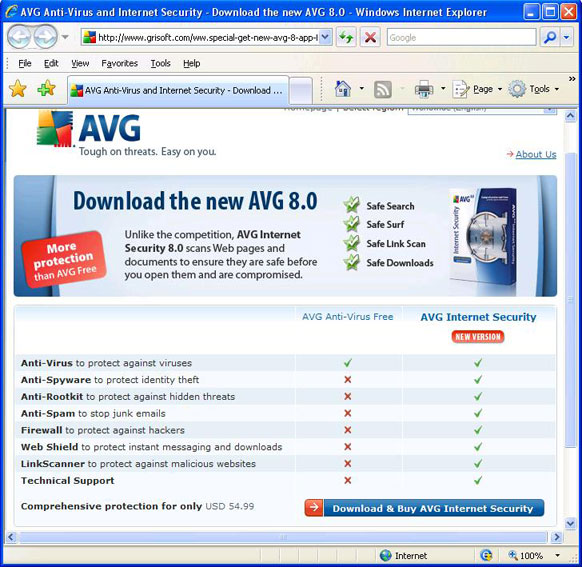
 Advertisements in AVG Anti-Virus Free Edition have recently began promoting their new AVG Internet Security 8.0. In my opinion most people don’t need the additional features that AVG Internet Security 8.0 provides since most of the additional features are redundant or free from other sources. I list specific examples below, as well as a screen shot of the AVG website which compares the free and paid versions. Advertisements in AVG Anti-Virus Free Edition have recently began promoting their new AVG Internet Security 8.0. In my opinion most people don’t need the additional features that AVG Internet Security 8.0 provides since most of the additional features are redundant or free from other sources. I list specific examples below, as well as a screen shot of the AVG website which compares the free and paid versions.
- AVG Anti-Spyware and Anti-Rootkit are available separately in a free versions.
- Anti-Spam is provided by many e-mail services, and the AVG program doesn’t filter spam in web mail.
- Windows already has a built-in incoming firewall.
- There are similar free products to “Web Shield” and “LinkScanner”. This type of protection is as only good as their list of known bad websites which are increasing faster than the protection programs can keep up. Your best protection against bad websites is behavioral by practicing safe internet surfing habits.
At this time for most people I recommend just keeping AVG Anti-Virus 7.5 Free Edition. Eventually they may offer 8.0 in a free version, and I will post updated advice if and when the time comes.
Microsoft has released Service Pack 1 for Windows Vista, which includes all previously released security and reliability updates plus some additional enhancements. I installed Service Pack 1 last week and noticed that Vista seems much faster, though I no longer had sound after installing the update. After I re-installed the sound drivers, I was able to hear my sound again. If you have a computer with Windows Vista, I recommend installing the update when prompted. Be prepared to spend about 1 hour updating to Service Pack 1.
If you currently have a computer with Windows XP is it time to upgrade or switch to Vista? If you purchased a computer in the past few years, I do not recommend upgrading to Windows Vista. There are no compelling reasons to upgrade. If you have an older computer and want to get a newer, faster computer – you have an option of getting a new computer with XP or Vista, but just for a little while longer. After June 30, Windows XP will no longer be available from Microsoft. Currently a few manufacturer’s such as HP and Dell still offer a few new computer models with Windows XP, but they are only available by special order – you won’t find XP in “big box” stores.
If you are computer savvy and don’t mind change, I now think Windows Vista is not a bad choice when purchasing a new computer in most cases. If you rely upon pre-2007 peripherals such as scanners or printers, or older programs, you could have some compatibility issues or they may just not work. Be prepared to buy new hardware and/or software as well. But if most of what you do is internet, e-mail and word processing, you shouldn’t have any troubles with Vista after the initial “getting used to it” phase.
If you’re considering the purchase of a new computer, we can help you choose which version of Windows would be better considering your needs. We can also acquire a new computer for you, set it up, and transfer the files from your old computer.
AT&T recently released notice of rate increases for their High Speed Internet service by about $5/month. Exact changes for customer’s price plan will be noted on their phone bill under “Price Change Notice”. People that subscribed to the $10/month plan that includes a 12-month commitment, and the $34.99/month Elite plan will not see a price increase at this time.
AT&T High Speed Internet is still about half the price of Charter High Speed Internet which starts at $54.99/month after a 6-month introductory rate.
This is the first price increase for AT&T High Speed Internet as I recall in the 7 years I’ve had service with them.
In March I suggested picture sharing tips which included my once-recommended Yahoo Photos. A few months ago Yahoo Photos was discontinued and accounts and pictures were transferred to Flickr – a company which Yahoo purchased a few years ago. While Flickr has some nice features, I think it’s somewhat complicated.
 I now recommend a free photo management software program from Google. Google’s Picasa can take the place of photo management software that comes with digital cameras and printers, allowing you to transfer pictures from your camera or card reader into custom-named folders on your computer. I now recommend a free photo management software program from Google. Google’s Picasa can take the place of photo management software that comes with digital cameras and printers, allowing you to transfer pictures from your camera or card reader into custom-named folders on your computer.
Picasa also allows you to view all the pictures on your computer on one screen without having to click in and out of folders to find and view pictures. The software also offers some basic photo manipulation tools such as cropping photos, adjusting brightness, removing red-eye and various print-size options. The program will also down-size pictures for emailing or for uploading to a personal Picasa Web Albums website which offers 1GB of free storage – enough for approx. 2000 photos. More storage space is available for purchase from Google. You can view all of the Picasa features on their website.
Picasa is also available as part of Google Pack – trustworthy free software selected by Google, though I don’t recommend installing all of the free security software. For more information about Google Pack, click on the “Google Pack” box located near the bottom left corner of this web page.
If you’d like to learn more about Picasa or schedule personalized tutoring on any of the Google Pack programs and their features, please contact Computer Techs.
If you’re still using dial-up internet service or paying for more expensive service with Charter, you may want to consider switching to AT&T high-speed internet which is as low as $10/month for new high-speed internet customers. Download speeds for the $10/month package are up to 768 Kbps, which is adequate for most casual web surfing and e-mail, and much faster than the average 40 Kbps speed offered with dial-up service.
The $10/month price and free high-speed modem after rebate is only available when the service is ordered through a special web link, and is not available if the service is ordered from AT&T over the phone.
Give us a call for details. We’d be happy to give you all the specific information on their offer, and we can even order the service for you and set it up in about 1 hour.
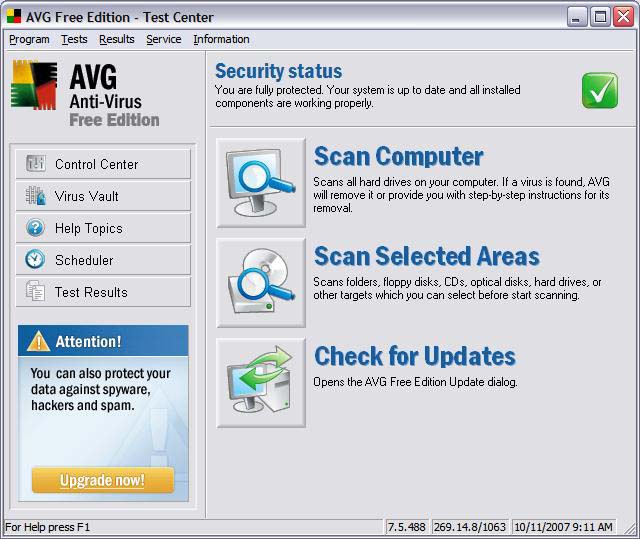
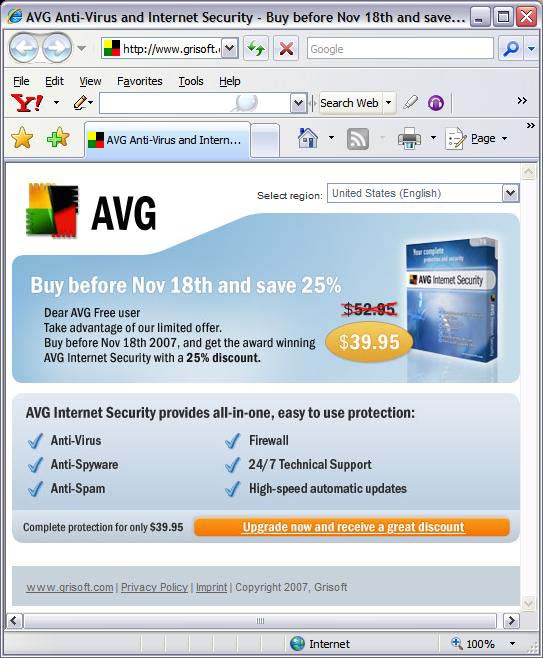
AVG Anti-Virus Free Edition has recently been aggressively promoting an upgrade to their not-free Internet Security software. In my opinion, this is an upgrade which most people don’t need.
The upgraded software adds Anti-Spyware, Anti-Spam and Firewall protection – most of which is redundant protection that most users already have. While their Anti-Spyware product is good, it is also available as a free separate download. Most email providers offer spam protection/filtering, and AVG’s Anti-Spam product only works in an e-mail client such as Outlook Express. Windows XP and Windows Vista already have an inbound firewall, and hardware routers offer inbound firewall protection. AVG’s outbound firewall is similar to other outbound firewalls that pop-up sometimes confusing questions when it detects outbound internet access.
In summary, I don’t recommend upgrading to their Internet Security product.
While most retail stores are only offering new computers loaded with Microsoft’s newest operating system – Windows Vista, Computer Techs still has access to new computers with Windows XP.
Businesses and corporations are hesitant to switch to Windows Vista since it is still too new, and it’s not compatible or 100% reliable with some consumer and business applications. Some hardware such as printers, scanners and cameras don’t work with Windows Vista. There are so many changes with Windows Vista, businesses don’t want to spend time and money to train people on the new operating system.
Similarly, people who are less computer savvy will find Windows Vista much different than Windows XP, or it’s predecessors Windows 98 or Windows ME.
As a service to Computer Techs’ clients, we are offering brand-new HP desktop computers loaded with Windows XP from our local wholesaler. The computers are configurable to your needs starting at approximately $575.
We’ve had several questions recently from our customers who have AT&T Yahoo! DSL service, and have received an e-mail about an “Important Security Update” with their e-mail service.
In the e-mail, customers are advised that they if they use an e-mail client (such as Outlook or Outlook Express) they need to change some of their settings in order to continue receiving e-mail. They offer an automatic way of changing the settings via download of their “Self Support Tool”, or you can manually change the settings.
I recommend the manual method. As a service to our customers, I have posted step-by-step instructions with screen shots showing the new settings in Outlook Express.
(more…)
« Previous Page — Next Page »
|


