

How to open Office 2007 files with earlier versions of Office
When Microsoft released Office 2007 last year, they also changed the default file format that Word, Excel and Powerpoint files are saved. Office 2007 files add an “x” to the end of the file extension. For example Word documents used to have the file extension of .doc however the new Word 2007 files are saved with the extension .docx by default. Excel files now end with .xlsx, and Powerpoint files end with .pptx.
If you have a pre-2007 version of Word, Excel or Powerpoint you will need to download and install the Microsoft Office Compatibility Pack for Word, Excel, and PowerPoint 2007 File Formats to convert and view the new file type.
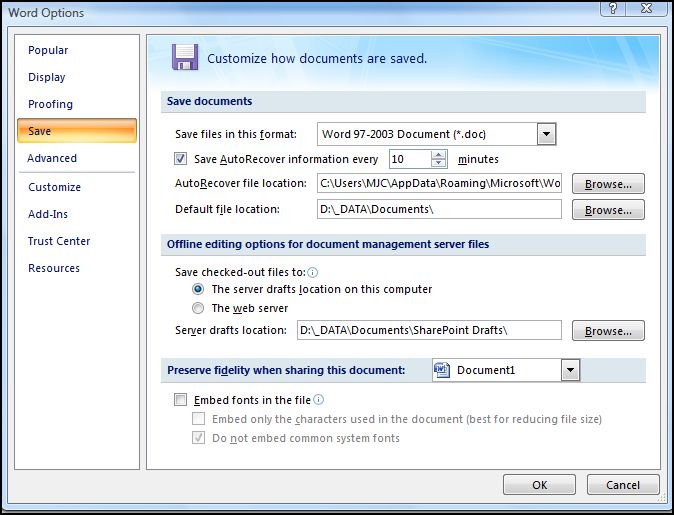
If you have Word 2007 and would like all your new files to be saved in the older, more compatible file format press the Office Button > Word Options > Save tab > change “Save files in this format” to “Word 97-2003 Document (*.doc)” as shown below.
 Print This Article
Submit a public comment